Code Lab
HermesEnabler 2 Explained: Apple Watch Compatibility and Backup Logic
CODE LAB · PROJECT SPOTLIGHT
HermesEnabler 2 Swift · MIT
Enable Hermès Watch Faces on any Apple Watch devices
Preview: GitHub · pookjw/HermesEnabler
HermesEnabler’s watch-face headline is only part of the story. Before considering installation, read the narrow watchOS support window and the project’s backup and restore requirements.
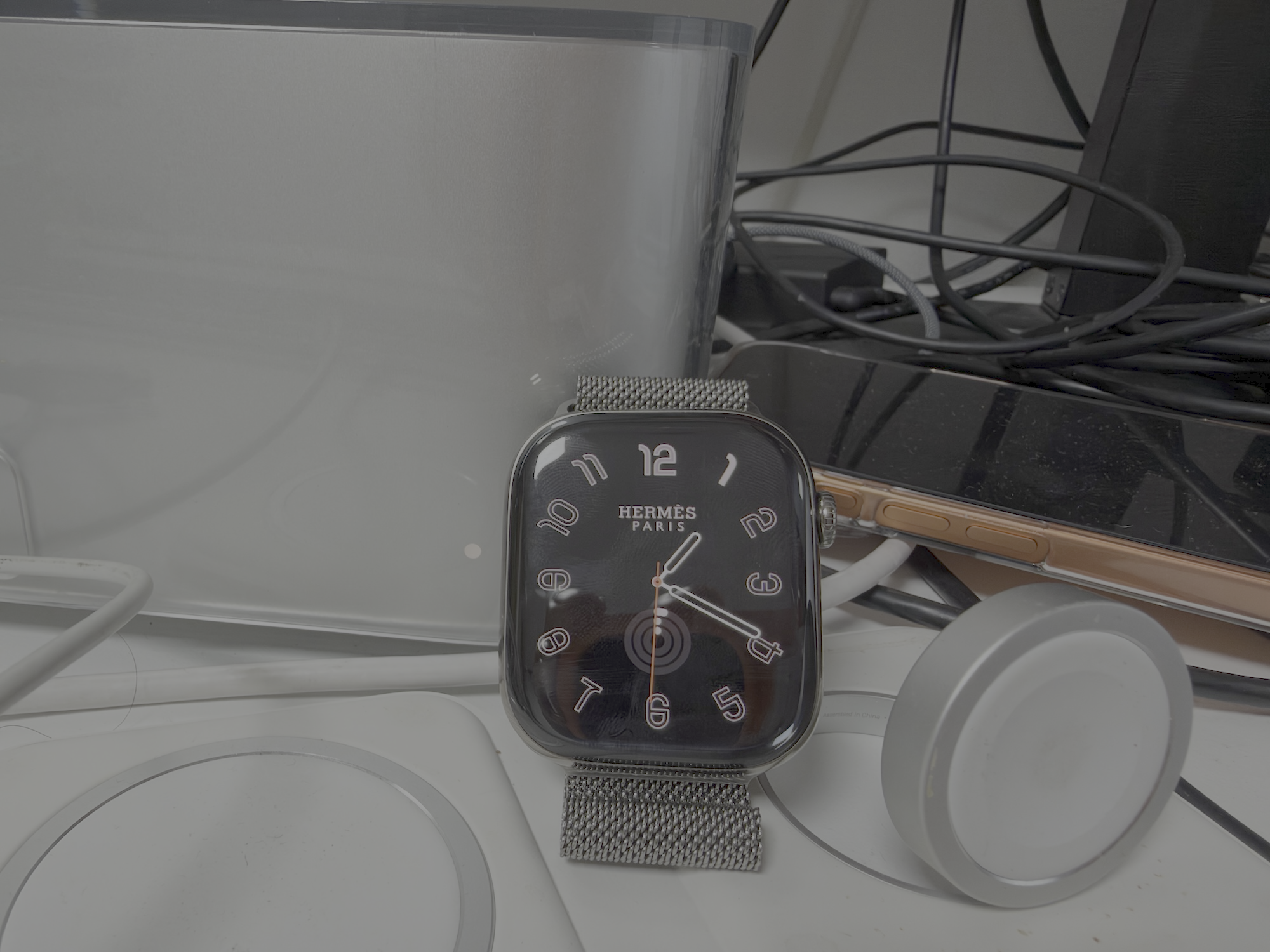
The repository describes a community Apple Watch utility for enabling Hermès watch faces and related device options. At the reviewed revision, the README limits support to watchOS 27.0 through 27.3 beta 1. This is not an Apple-supported customization feature, and the project’s public code does not make every Watch or software version compatible.
What does HermesEnabler 2 change in practice?
The useful first step is a compatibility review, not a device modification. Check the exact watchOS version, paired iPhone, signing prerequisites and restore path. Read the backup UI and its model before deciding whether the experiment is appropriate for a spare device. If any of those conditions is unclear, keep the review at the source level rather than treating the headline as an installation recommendation.
Inside the source: the first-run backup screen
BackupView checks model.hasBackup and presents a first-launch section when no backup is recorded. Its button dispatches the backup action through the model. This proves what the UI asks a user to do; it does not, by itself, prove that the storage layer is recoverable or that every modification path is guarded. The model and device behavior must be reviewed separately.
Source: HermesEnabler2/BackupView.swift at 0f0a951. License: MIT. Original source text retained; line numbers and syntax colors added for this article.
Source attribution and license notices
MIT License

Copyright (c) 2026 Jinwoo Kim

Permission is hereby granted, free of charge, to any person obtaining a copy
of this software and associated documentation files (the "Software"), to deal
in the Software without restriction, including without limitation the rights
to use, copy, modify, merge, publish, distribute, sublicense, and/or sell
copies of the Software, and to permit persons to whom the Software is
furnished to do so, subject to the following conditions:

The above copyright notice and this permission notice shall be included in all
copies or substantial portions of the Software.

THE SOFTWARE IS PROVIDED "AS IS", WITHOUT WARRANTY OF ANY KIND, EXPRESS OR
IMPLIED, INCLUDING BUT NOT LIMITED TO THE WARRANTIES OF MERCHANTABILITY,
FITNESS FOR A PARTICULAR PURPOSE AND NONINFRINGEMENT. IN NO EVENT SHALL THE
AUTHORS OR COPYRIGHT HOLDERS BE LIABLE FOR ANY CLAIM, DAMAGES OR OTHER
LIABILITY, WHETHER IN AN ACTION OF CONTRACT, TORT OR OTHERWISE, ARISING FROM,
OUT OF OR IN CONNECTION WITH THE SOFTWARE OR THE USE OR OTHER DEALINGS IN THE
SOFTWARE.
Getting started
The README describes an Xcode route using HermesEnabler2.xcodeproj and the paired Watch as the run destination, as well as a prebuilt IPA route. It lists a paid Apple Developer account because of the App Groups entitlement. Windows installation uses a separate community WatchBridge project. Read the original instructions and exact release notes before choosing any route; this article has not installed an IPA or changed a device.
Limits and what to verify
The documented backup must be restored before deleting the app. Signing, entitlements, developer settings and device updates affect the workflow, so compatibility claims should remain tied to the checked revision. The source is MIT-licensed and credits incorporated Gester code. Project-supplied pictures below show the author’s published material, not our own Watch test.
Where it fits
This is an interesting SwiftUI and device-tooling source review, with a particularly useful reminder to separate a visible backup button from verified recovery. Its practical value depends on a reader meeting the project’s precise conditions and understanding the consequences of a failed restore.
Official references: Repository · README at reviewed revision · Release history · Exact source excerpt.
Reviewed November 15, 2026. Discovery credit: 민둥이 | 쉽게 배우는 AI, video published November 14 covering a November 12 repository selection. This article independently examines the official source; that historical ranking is not presented as today’s ranking.