Code Lab
LongCat Avatar 1.6: How Overlapping Video Segments Join

CODE LAB · PROJECT SPOTLIGHT
LongCat-Video-Avatar 1.6 Python · MIT
Follow the audio-driven video continuation path.
Preview · meituan-longcat/LongCat-Video on GitHub
Meituan released LongCat-Video-Avatar 1.6 on November 15, 2026. Its audio-and-image path takes a reference portrait and a speech track, then generates a video whose motion follows the audio. Version 1.6 targets more natural mouth motion and less drift over long clips, according to the authors. The continuation script shows a smaller problem you can verify directly: how two overlapping segments become one timeline.
Where the second segment joins the first
In the published sample, the JSON supplies a scene prompt, a reference image and the first person’s audio file. A one-segment run produces the first clip. Configuring more segments takes the continuation path, where the script advances its audio window by the number of newly needed video frames and passes the previous video and latent into the next generation call. The first frames of the continuation provide context already covered by the previous clip. These lines determine what reaches the assembled output.
The slice drops the conditioning prefix. The next two lines copy only newly generated frames and advance the output cursor. The last line retains the new clip as context for its successor. This arrangement keeps the overlap in the generation loop and avoids replaying it in the saved output.
Reproduce the frame count with numbered data
The script sets 93 frames per segment and 13 conditioning frames. The small NumPy test below represents each frame by its index. It checks the same slice and append operations with a first clip covering 0–92 and a second clip covering 80–172.
import numpy as np

num_cond_frames = 13
all_generated_frames = np.empty(173, dtype=int)
all_generated_frames[:93] = np.arange(93)
generated_frame_count = 93

# The second clip covers frame positions 80 through 172.
new_video_array = np.arange(80, 173)
appended_frames = new_video_array[num_cond_frames:]
next_frame_count = generated_frame_count + len(appended_frames)
all_generated_frames[generated_frame_count:next_frame_count] = appended_frames
generated_frame_count = next_frame_count


print(len(new_video_array), len(appended_frames), generated_frame_count)
print(all_generated_frames[91:95].tolist())
assert np.array_equal(all_generated_frames, np.arange(173))
Observed output
93 80 173
[91, 92, 93, 94]
The continuation contributes 80 frames. Around the join, frames 91 and 92 are followed by 93 and 94. The array check confirms that all 173 positions appear in order. We ran this isolated frame-assembly test on CPU. It checks ordering and overlap. Lip synchronization and visual continuity require playing a generated MP4 and checking the join against its audio.
What to verify in a real run
The official Avatar 1.6 example uses the 1.6 checkpoint, the avatar dependencies and a two-process CUDA command. Start with the maintainers’ single-segment reference before testing continuation. Keep the reference portrait, audio, resolution and settings fixed. Compare a passage around a join with a passage elsewhere in the clip, listening through the join and watching the mouth and pose. No end-to-end model run or performance measurement was made for this article.
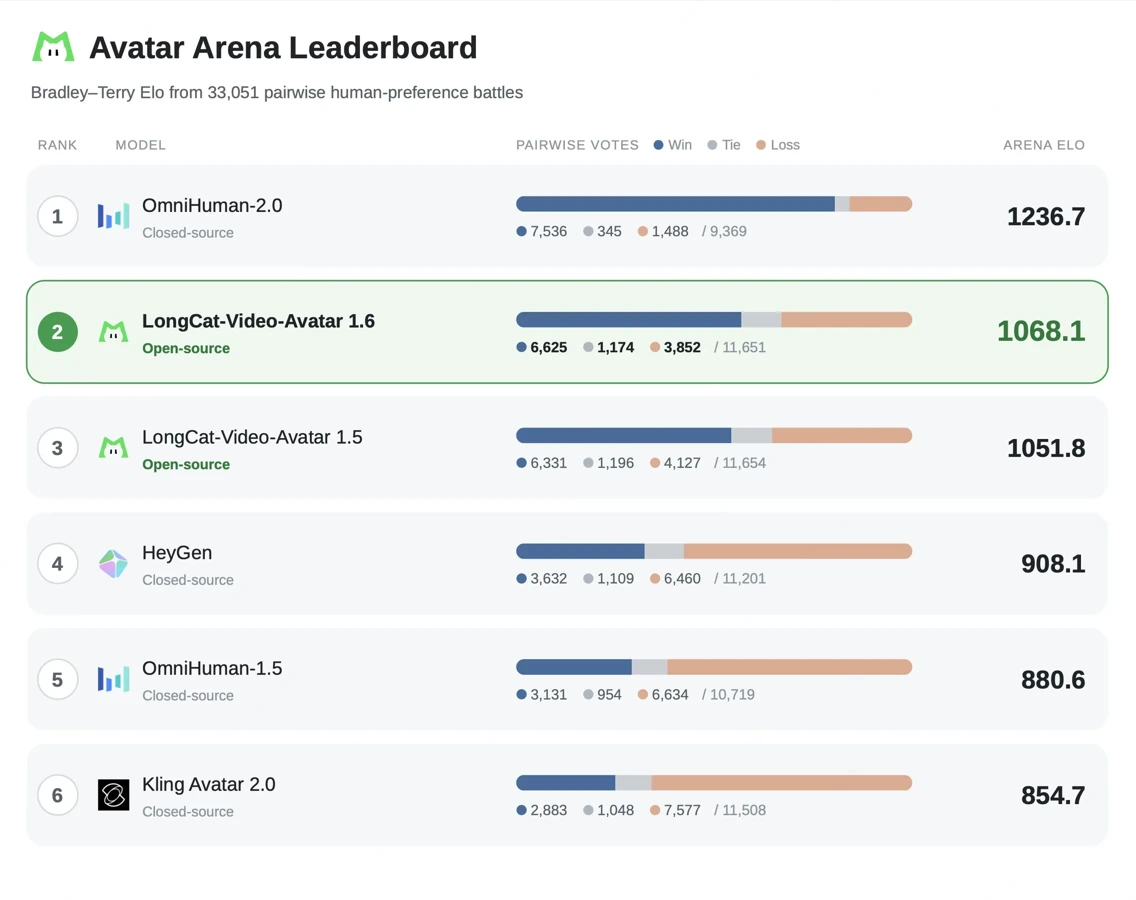
Source excerpt © 2025 Meituan, MIT license. Maintainer setup instructions · Technical report · JoCoding’s release recap.
Discussion