AI Technical Articles
Soma-1X Lite Explained: What OCR Can Miss in a Scanned Table
A document parser can read every number on a scanned page and still put the wrong number in your spreadsheet. For a table, accuracy includes knowing which heading and row give each value its meaning.
Amini introduced Soma-1X Lite on November 25, 2026. The roughly 2-billion-parameter model reads document images and returns both text and page structure. Here’s what that structure gives you, and how to check whether it survives the trip from scan to spreadsheet.
What does a document parser add to OCR?
Optical character recognition, or OCR, turns visible writing into machine-readable text. For a simple page of prose, that may be enough. OCR tools can also report coordinates, and some include layout analysis. When evaluating a tool, ask which relationships its output actually preserves.
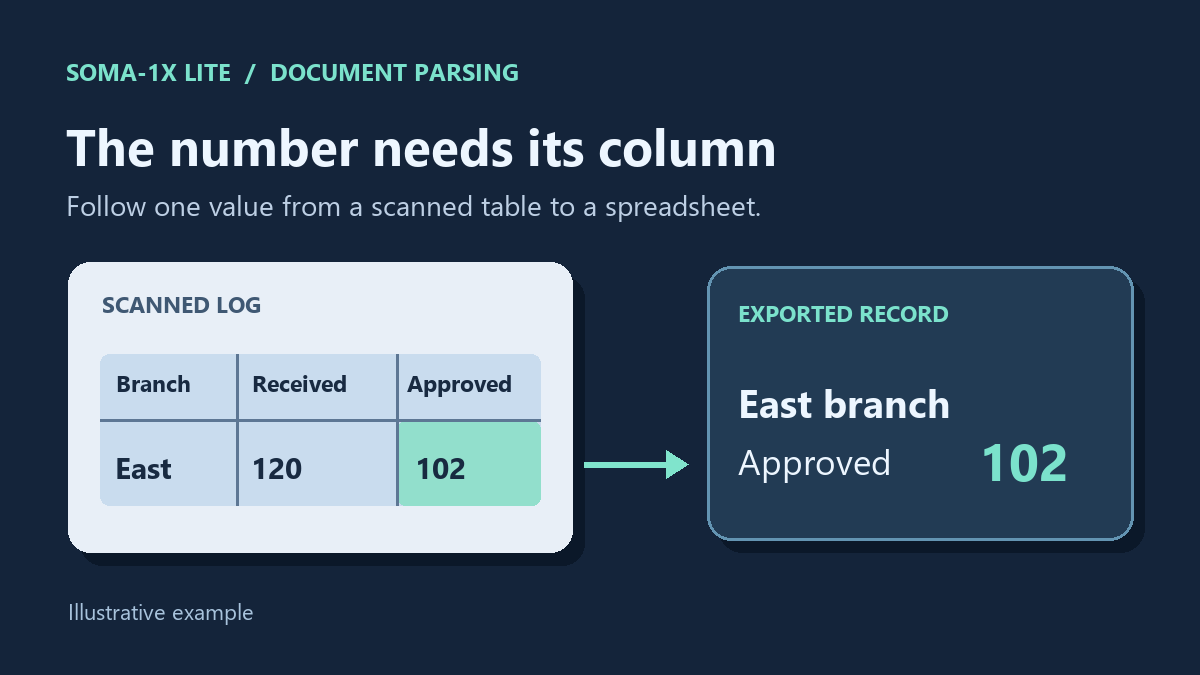
Imagine a scanned log with two columns labeled Received and Approved. The East branch row shows 120 received and 102 approved. If an export swaps the two values, every character can be correct while both spreadsheet cells are wrong. The source scan and the structured table need to agree on the pairing: East branch, Approved, 102.
Soma-1X Lite’s model card shows an output block for each page element. A block carries a label such as heading or table and a bounding box, a rectangle locating it on the source page. The blocks are emitted in the model’s inferred reading order, and tables are represented as HTML. That gives a reviewer two useful handles: inspect the row and column relationships in the table, then jump to the table’s region on the scan. The block’s rectangle does not itself establish a location for every cell.
Test the relationships that matter to your workflow
Datalab’s Omni Parse Bench illustrates the distinction. Its checks can ask whether a cell appears under particular headers or whether a designated line is identified as a heading. An archive or operations team can write smaller checks based on what it plans to do with the data.
- Choose pages that exercise real failure modes. Include representative clean scans alongside faint print, handwritten notes, two-column layouts, and tables with merged headers. Mark the fields on which a downstream decision depends before running the tools.
- Compare with your current workflow. Run both on the same scans. Check key values and their row and column headings, then record how much time a reviewer spends finding and correcting errors. For a two-column letter, confirm that the export reads down the first column before continuing to the second.
- Decide when a page goes to review. If the East branch figures are swapped or an expected header is missing, route the page to a person before import. Where the parser reports a region, show it beside the extracted result so reviewers can consult the scan quickly.
Keep character errors and structural errors in separate counts. A nearly perfect transcript can hide a table error that changes a report. A parser earns its place when it reduces correction time and the checks catch the mistakes that would change how people use the records.
What local deployment buys you
Amini distributes the main model weights under Apache 2.0 and documents running the model with Transformers and vLLM. Its model card also describes GGUF builds, a format used by local runtimes such as llama.cpp, with CPU and GPU options. Try your highest-resolution pages on the hardware you would actually use before estimating memory or throughput.
Running inference on infrastructure you control gives you a choice about where page images are processed. If you handle sensitive records, trace the full path from the original file to the final export. Include temporary page images, application logs, and backups in that review.
How to use the reported speed and cost
In its technical announcement, Amini reports up to 15,000 pages an hour on one NVIDIA RTX PRO 6000 GPU. Using the company’s assumed rental rate of $3.36 per hour, $3.36 ÷ 15,000 × 1,000 gives about $0.22 in GPU time per 1,000 pages. That estimate covers GPU time at the stated throughput and excludes file preparation, storage, and human review.
In Amini’s own OmniParse-Bench evaluation, the overall score rose from 84.37 to 86.53 when an additional pass reprocessed selected regions. That result is a reason to test one pass and a second pass separately. If the second pass fixes enough of your difficult tables to save review time, it may be worth the added compute. Measure both the time to an accepted page and the errors reviewers still have to fix.