Code Lab
x86CSS Explained: How a Browser Runs an 8086 Program with CSS
CODE LAB · PROJECT SPOTLIGHT
x86CSS CSS / Python · GPL-3.0
Read an experimental 8086 emulator whose state transitions run inside CSS.
Repository preview · rebane2001/x86CSS · GitHub.
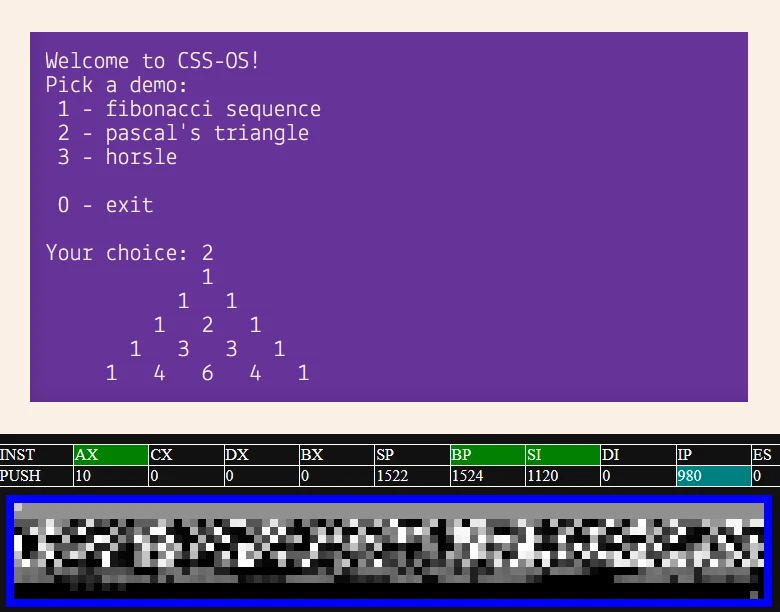
x86CSS runs a small 16-bit x86 program in a browser using CSS for the CPU state transitions. The Python build script generates repetitive declarations, then the browser evaluates those declarations as the emulated program advances.
The creator’s demo is an experiment in what the browser’s style engine can express. The README describes an optional JavaScript clock for speed and stability, plus a CSS clock using animation and style container queries. The selected clock controls when the next step happens. The CPU logic stays in CSS.
Follow a byte from disk to the browser
| Stage | Artifact | What it does |
|---|---|---|
| Compile | program.bin and program.start | Supply machine-code bytes and the entry offset. |
| Generate | build_css.py and base_template.html | Combine repetitive CPU state declarations with the handwritten CSS template. |
| Run | x86css.html | Let the browser clock drive style evaluation and show the emulator output. |
The repository includes prebuilt program inputs. Its C build uses the creator’s documented gcc-ia16 workflow for Linux or WSL. The separate Python 3 generation step produces the HTML from the input files already present. The README identifies Chromium-based browsers for the demo. Check the browser version alongside any observation because the project relies on CSS features beyond ordinary static styling.
How a generated memory cell keeps its previous value
Each generated declaration needs a way to choose between new data and the prior state. These two builder functions show the difference between a byte of memory with an initial value and a simpler zero-initialized slot.
For the chosen memory byte, the generated if() branches can take a value addressed directly to this byte, the second byte of a word write starting at the preceding address, or a write from destination B. The fallback references the previous value. The guard for i > 0 leaves out the preceding-address branch at address zero.
These functions return data for the generator. The long strings are expressions for the stylesheet, so the generated HTML can evolve the emulated state after the build ends. Read the surrounding generator and template together if you want to trace registers, the instruction pointer and the clock.
What the demo asks of a browser
The default build configures 1,536 bytes of emulated memory and starts loading the program at 0x100. The creator documents project-specific I/O addresses for text and keyboard input. The emulator implements the instructions needed by its demonstration programs and has documented gaps, including carry and overflow flag handling. Its output is therefore a demonstration of this particular 8086 subset.
To compare clocks, open the creator’s demo in a supported Chromium browser with its default settings, record the visible output, then repeat in a separate test profile with JavaScript disabled for that origin. Check whether text appears and whether a keypress is reflected. Record the browser version and the behavior of each run. These are proposed checks. This article is based on the repository and the demo’s published materials.
Read the pinned build notes ↗ or try the creator’s original browser demo ↗. See also Modern Web Guidance for coding agents for the role of browser support in choosing platform features.
Source excerpt by the x86CSS project, pinned above. Source and license are available from the GPL-3.0 license file ↗. Discovered via JoCoding’s November 19 Short ↗.