Build Notes
What Files Do I Need to Sell an Asset on Fab? My Submission Checklist
My most basic question after registering as a publisher was what to upload. A working file, an export and a screenshot all belong to the project, but they do not serve the same purpose. I now organize the preparation around what the buyer downloads and what the listing promises. This is a checklist for a future first release, not a claim that a package has already passed review.
Build Notes · Preparation series 4 of 5 · Checked November 7, 2026. Screenshots show research and an illustrative test workspace; no first product sale or completed pack is claimed.
Start with the advertised delivery route
Before making a final archive, I will write down the formats I intend to support and the application used to check each one. That gives every included file a reason to exist.
The format table is the first official reference I check. It prevents me from treating every extension a tool can export as an equally suitable primary Fab submission.
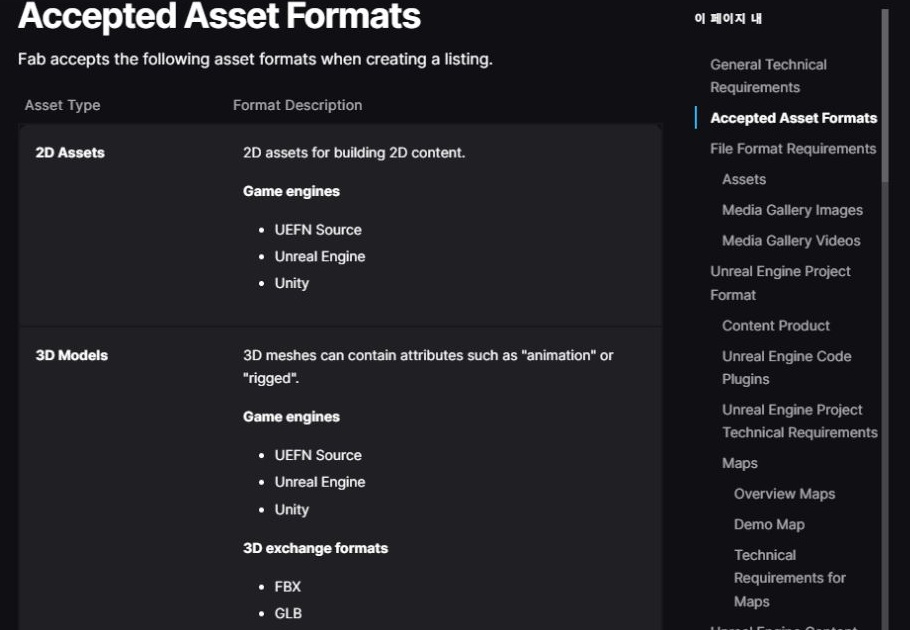
Keep an editable source and a usable export
In my working folder, the source is the version I can revise. The export is the version I reopen as a customer would. If both are included in the release, the documentation should explain the purpose of each.
I plan to verify texture references outside the authoring folder. A file that only works because it can still find images elsewhere on my computer is not a reliable delivery.
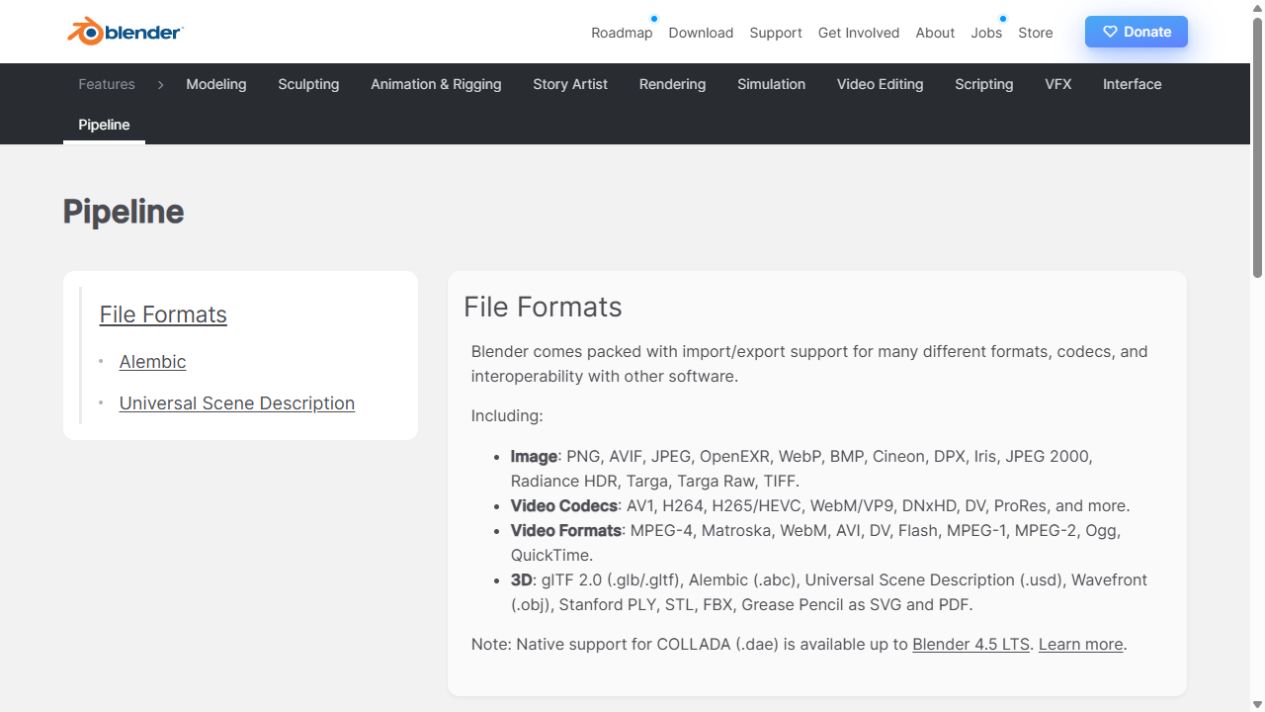
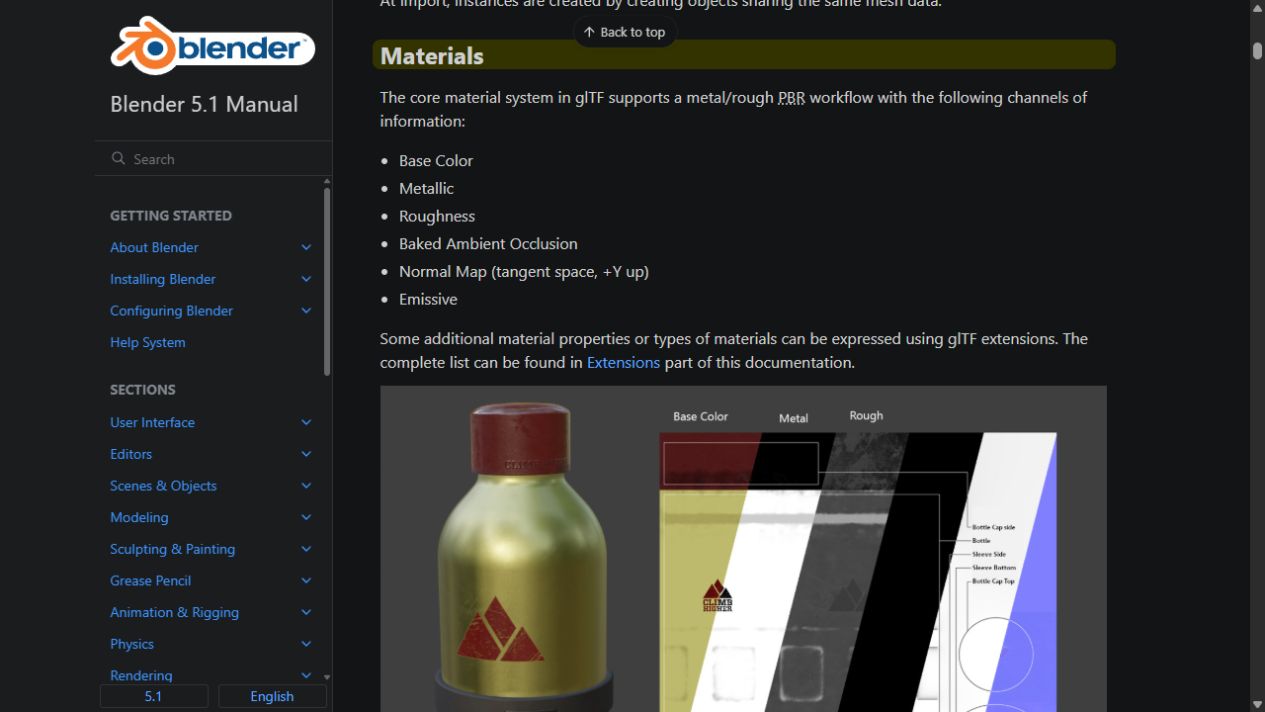
An engine package has its own structure
For an Unreal content product, the official guide specifies a project with .uproject, Config and Content, with the assets organized under one product folder. The final project needs cleanup before packaging.
I opened a separate illustrative workspace while documenting this process. The Content Browser is where the asset inventory will become visible to the receiving user. I want sensible names and a structure that makes it easy to locate a model, its material and its textures.

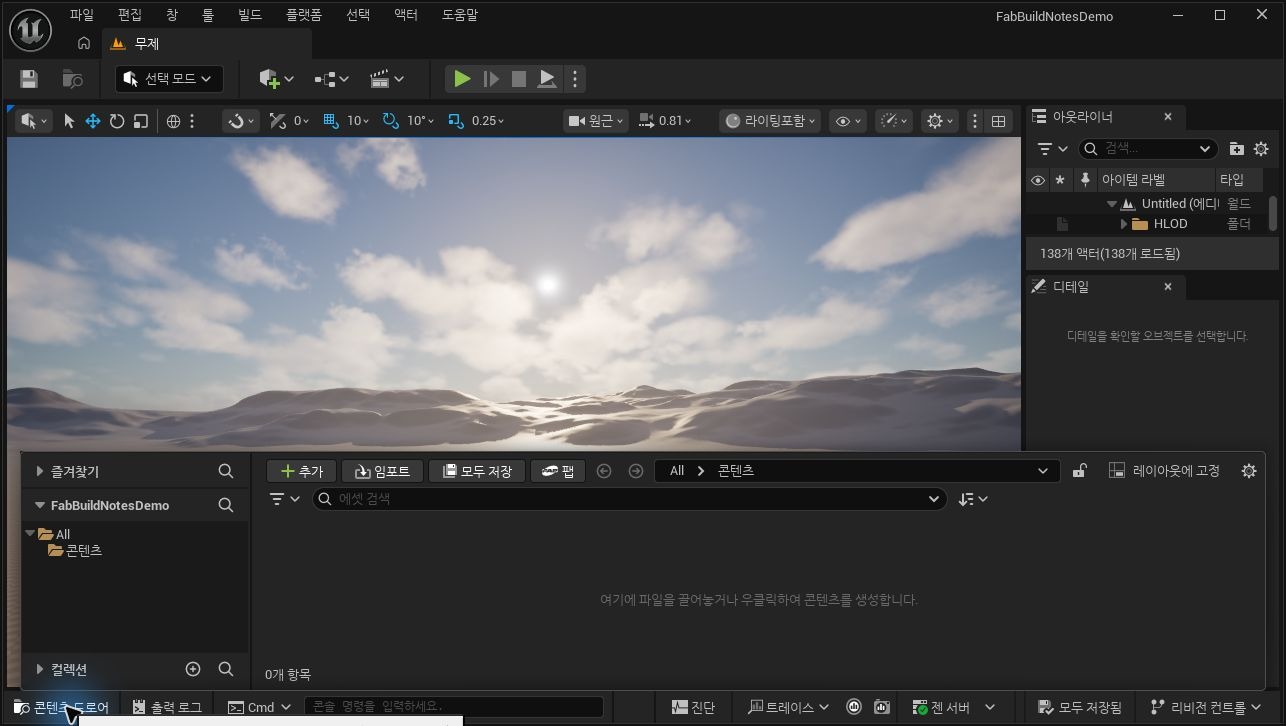
For 2D, save the original and explain the output
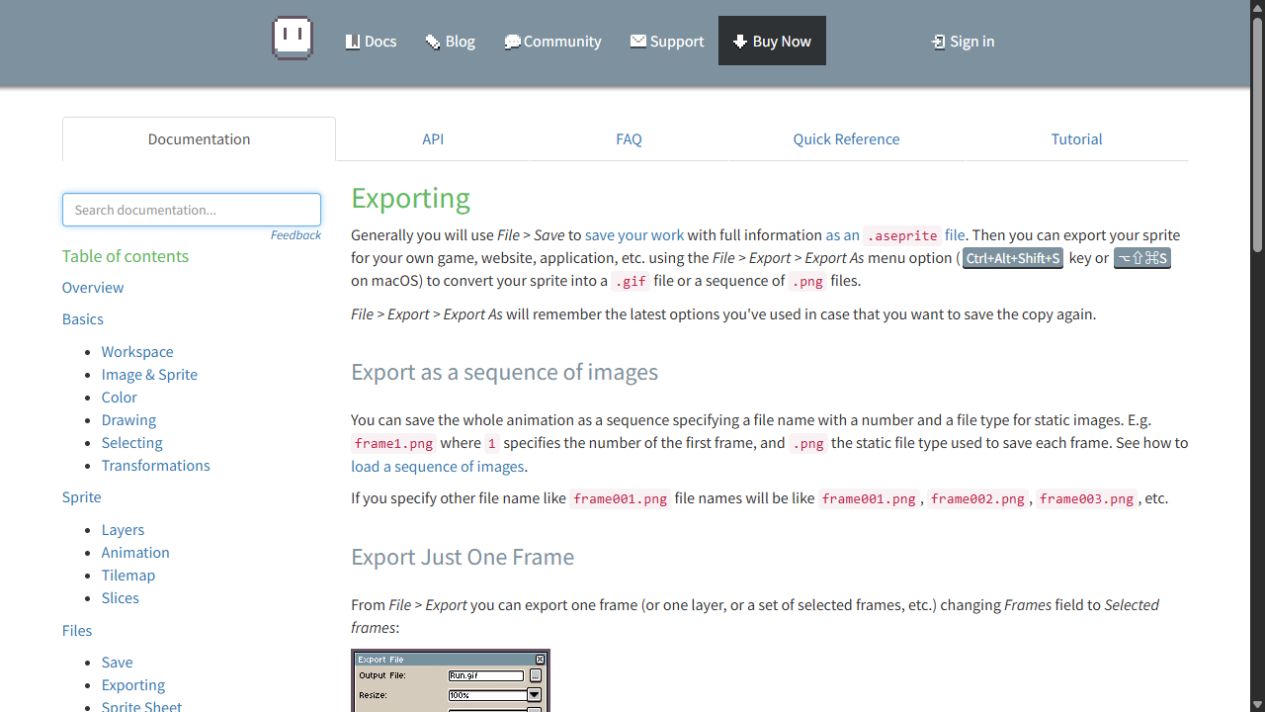
Aseprite's export workflow makes the distinction clear: an editable sprite and exported images are different deliverables. If I later ship a 2D collection, I will include the viewpoint, dimensions and animation instructions needed to use it.
I will also check the selected Fab category and format requirements instead of assuming that a ZIP containing PNGs is all that the primary submission needs.
Prepare media after the contents are stable
A thumbnail should make the product identifiable, while the gallery should explain the contents and show useful close-ups. I want one overview that makes omissions obvious, not only atmospheric scenes in which the objects are difficult to count.
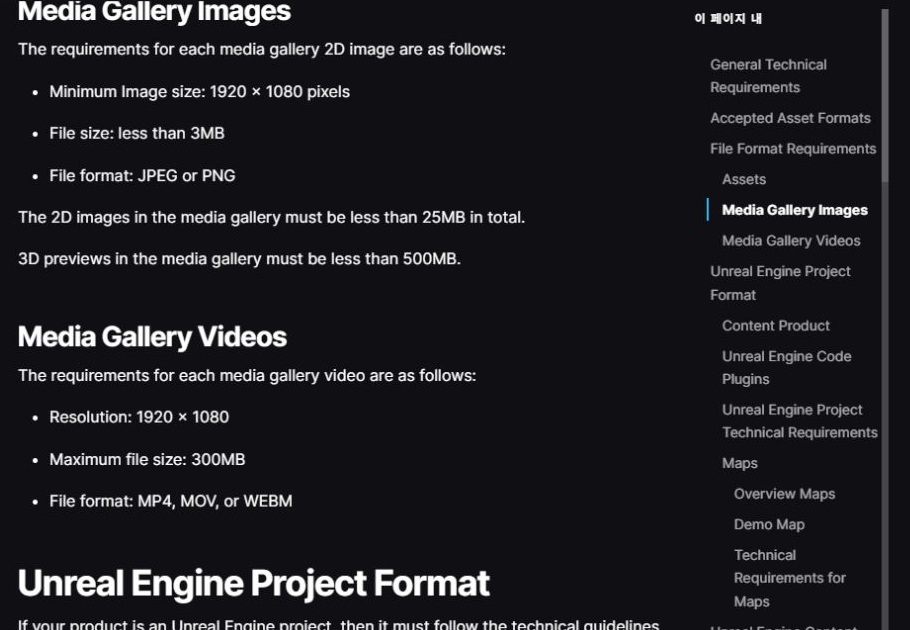
The published gallery guidance specifies JPEG or PNG images, at least 1920 by 1080, under 3 MB each and under 25 MB in total. These are gallery image rules; I will not apply them indiscriminately to source textures or other file types.

Use a final check before the review request
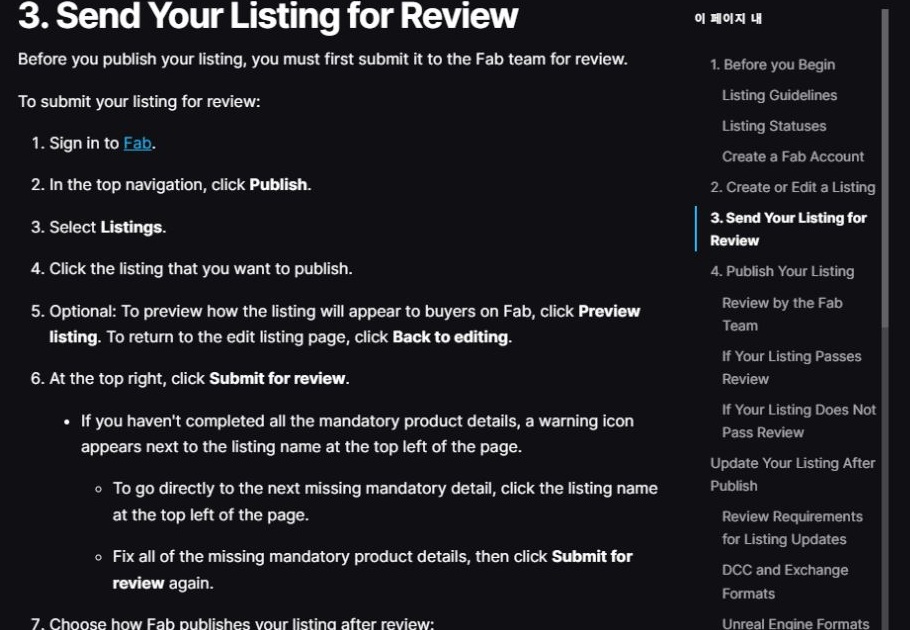
My proposed release check is to reopen the package in a fresh location, compare its inventory with the description, inspect the preview and then submit it. Claimed support versions need actual checks, not assumptions based on a filename.
The documentation should include setup steps, what is not included, known limitations and a support route. References used only to stage marketing images must be distinguished from downloadable contents.
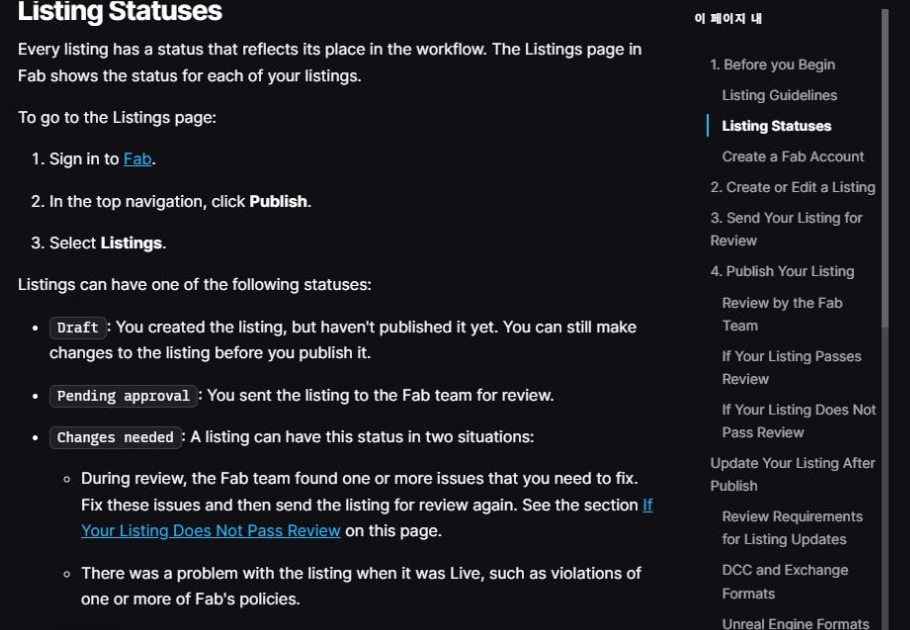
If review requests a change, I will fix the underlying package or the misleading explanation and check the result again. Approval is a distribution milestone; it does not remove the need to answer users and maintain the release.
Continue the preparation series
- Registered as a Fab Publisher: What Comes Before the First Asset Sale
- Are Fab Assets Made in Unreal Engine? Separating Modeling from Delivery
- 2D Pixel Art or 3D Models? Choosing the First Fab Asset Workflow
- What Files Do I Need to Sell an Asset on Fab? My Submission Checklist
- FBX, GLB or Blender File? What I Learned from a Fab Download Dialog