Code Lab
MiniMind Explained: Reading a Language Model Through RMSNorm

CODE LAB · PROJECT SPOTLIGHT
MiniMind Python · Apache-2.0
Read one layer of a small transformer.
Project preview · jingyaogong/minimind
A transformer diagram gives you a map. A short function tells you what actually happens to the numbers. MiniMind is an educational language-model project whose PyTorch implementation lets you follow a token representation through attention and feed-forward layers. Its RMSNorm class is a practical first stop.
On November 24, 2026, GitHub Trending showed 828 stars gained today. GitHub Trending
Read one layer of a small transformer
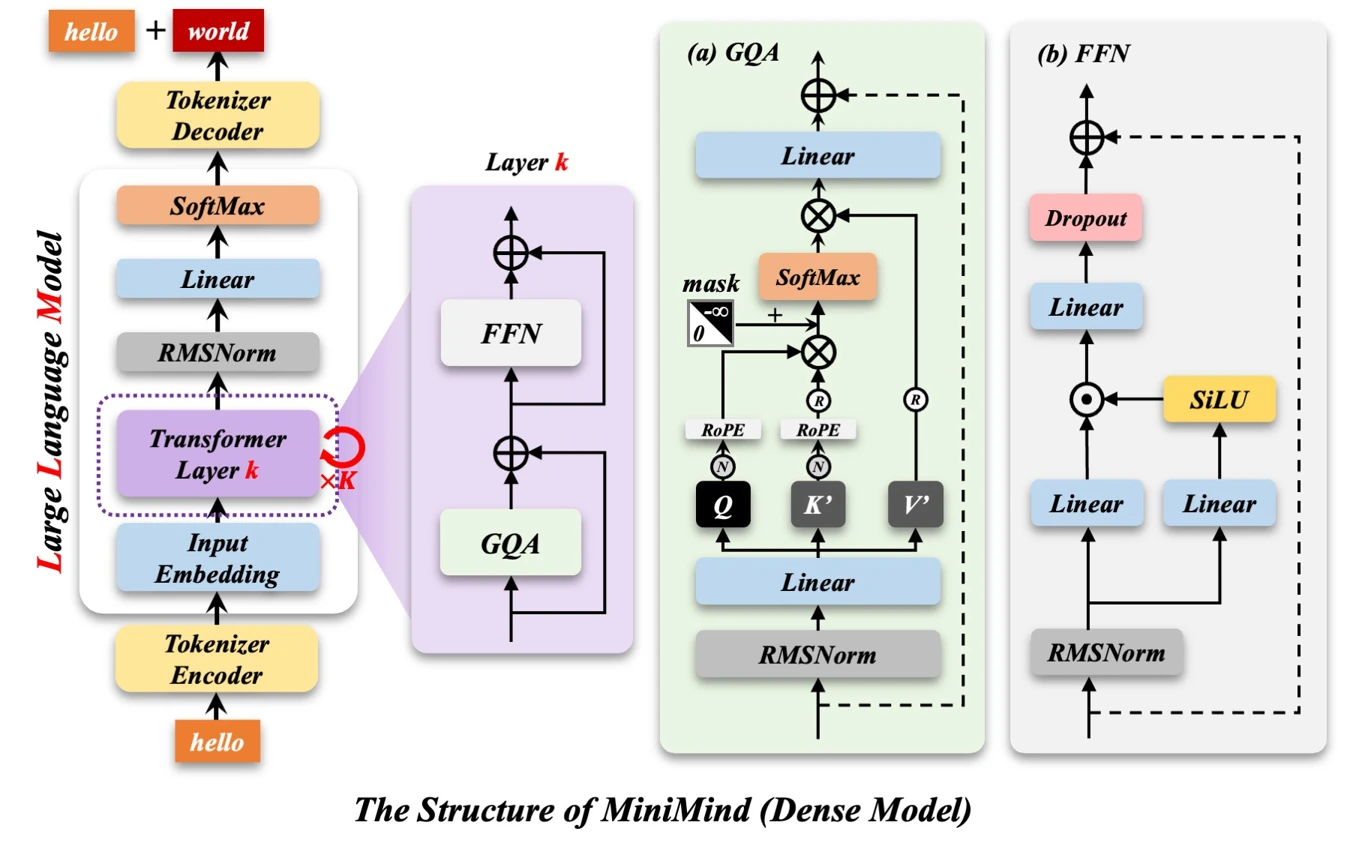

The author’s dense-model diagram places normalization beside the attention and feed-forward paths. Following one box into the source keeps the architecture manageable even if you have never trained a transformer.
Inside model_minimind.py
The mean runs over the final dimension and keeps that dimension so the scale broadcasts over the input. Squaring removes the sign from the scale calculation. The original signed values are multiplied by the reciprocal square root. A learned weight then adjusts each feature. The forward method computes normalization in floating point and casts the result back to the input type.
Source credit · jingyaogong/minimind contributors. Apache-2.0 license and notices.
Work through two values by hand
Start with the vector [3, 4] and weights of one. The mean square is 12.5. Ignoring the tiny epsilon for this calculation, dividing by the square root of 12.5 gives roughly [0.849, 1.131]. The entries keep their relative size. Try a zero vector next. The epsilon keeps the denominator finite, and the result stays zero.
Read the attention layer next and find where the query and key tensors are normalized. Check the dimension of the learned weight at each call site. This exercise needs only the source. Training a checkpoint is a separate experiment whose cost depends on the model, data and training stage.
Run the normalization twice, then change the weights
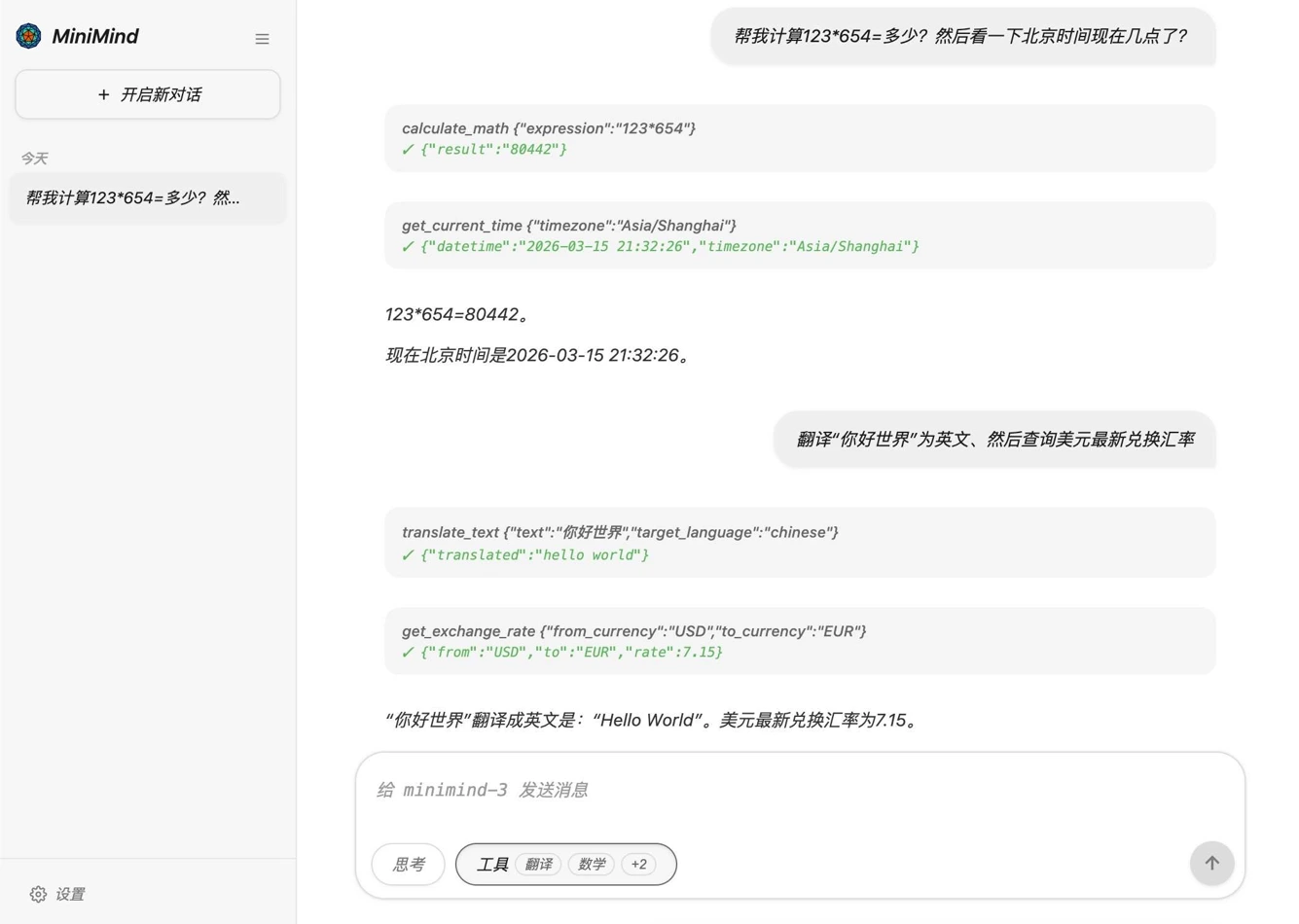

You can isolate the arithmetic without loading the chat UI or a checkpoint. This Python 3.10+ example mirrors the equation in the source panel for a single token and two features. First multiply every input by ten while leaving the weights at one. Then hold the input fixed and change the weights. Those two experiments ask different questions.
Python · worked example
from math import sqrt

def normalize(token, weights, eps=1e-6):
    mean_square = sum(x*x for x in token) / len(token)
    return [w*x / sqrt(mean_square + eps)
            for x, w in zip(token, weights, strict=True)]

for token in ([3, 4], [30, 40], [0, 0]):
    print(token, [round(x, 4) for x in normalize(token, [1, 1])])
print("weighted", [round(x, 4) for x in normalize([3, 4], [2, 0.5])])
Output from our run
[3, 4] [0.8485, 1.1314]
[30, 40] [0.8485, 1.1314]
[0, 0] [0.0, 0.0]
weighted [1.6971, 0.5657]
The first two outputs agree to four decimal places because scaling both features scales the root mean square by almost the same factor. The epsilon accounts for the small difference before rounding. In the weighted run the first feature doubles and the second halves. Those per-feature weights are what training can change. This scalar exercise checks the arithmetic. To compare it with the PyTorch layer, use the same epsilon and weights and allow for the rounding of the input dtype.