Build Notes
Codex CLI 0.172.0: Open Saved Threads From the Terminal
Codex CLI 0.172.0 lets you follow links to saved conversations without leaving the terminal. OpenAI released it on November 24, 2026 at 00:03:55 UTC. It also adds shortcuts for jumping between groups in the agent command center and completing supported slash command arguments.
Update your CLI
If you installed Codex through npm, use the versioned command below and check the version before opening an interactive session in your project. For other installation methods, consult the official CLI installation guide.
npm install -g @openai/codex@0.172.0
codex --version
Follow a link to a saved conversation
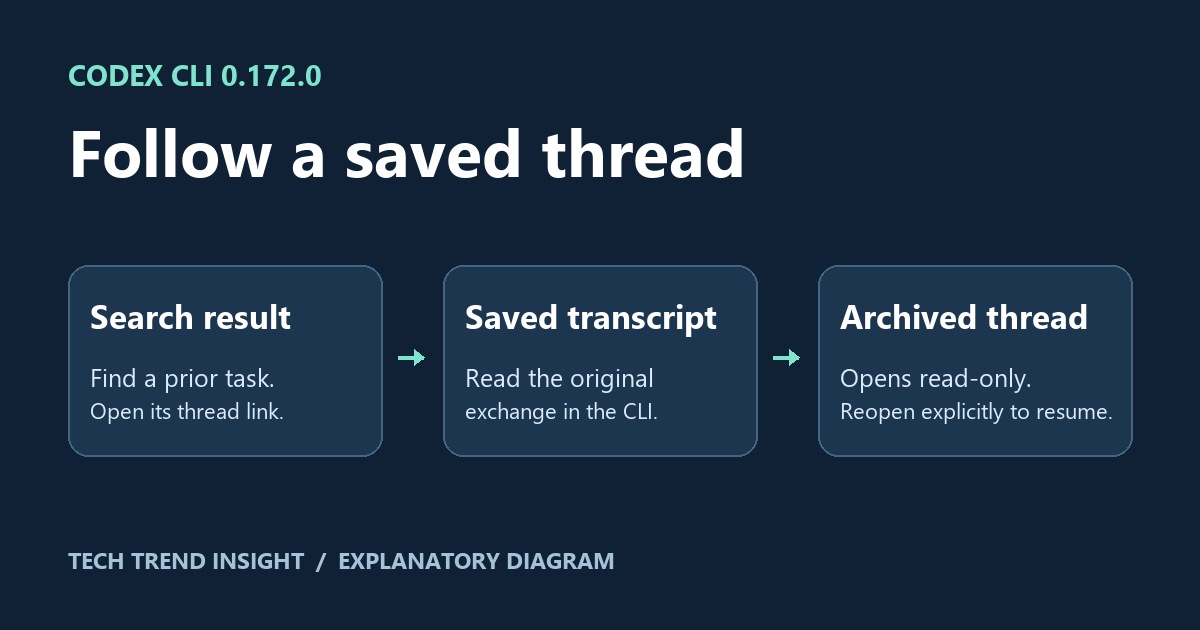
In a chat or transcript, open a Codex thread link to move to the conversation it references. In the resume picker, following a link opens the linked transcript preview. If the link points to a nested agent, Codex opens its owning session and selects that agent. Archived conversations open in read-only mode and can be reopened explicitly.
For example, search your saved conversations for a phrase from an earlier task, such as blank CSV rows. If a result includes a thread link, follow it and check the original exchange for the input and assumptions. In the resume picker you can preview that exchange before deciding whether to resume anything.
Navigate groups and complete arguments
In the agent command center task list, use Shift+Down or Shift+Up to select the first task of the next or previous visible group. Navigation stops at the ends of the list. This is useful when the command center shows several groups with many tasks.
In the composer, type /mcp lo and press Tab to complete /mcp login when that suggestion is available. Completion fills the argument. Review the draft before submitting. Suggestions depend on the current thread and connection.
These examples follow the release documentation. We did not run the 0.172.0 examples or capture its interface.
See the official release notes, the changes for thread navigation, task groups and argument completion, and our Codex Update history.