Build Notes
What Happens Behind Generate? Reading an AI Job Pipeline with REA
When I use an AI video tool, the interface makes the work look simple: provide a source, choose a few options and press Generate. Building a similar workflow raises harder questions. When does analysis stop? Where can I revise the script? What should happen after I approve it?
I used REA, short for Reverse Engineer Anything, to examine publicly shipped web-client code and look for answers at the application boundary. I then applied those design clues to a separate video-processing pipeline. This is a practical note about reading a workflow, rather than reproducing a product.
The scope matters: I inspected client code, not private server source or internal prompts. The execution results below come from my independent implementation. Product names, domains and original endpoint strings are omitted.
1. A narrower question produced a more useful analysis
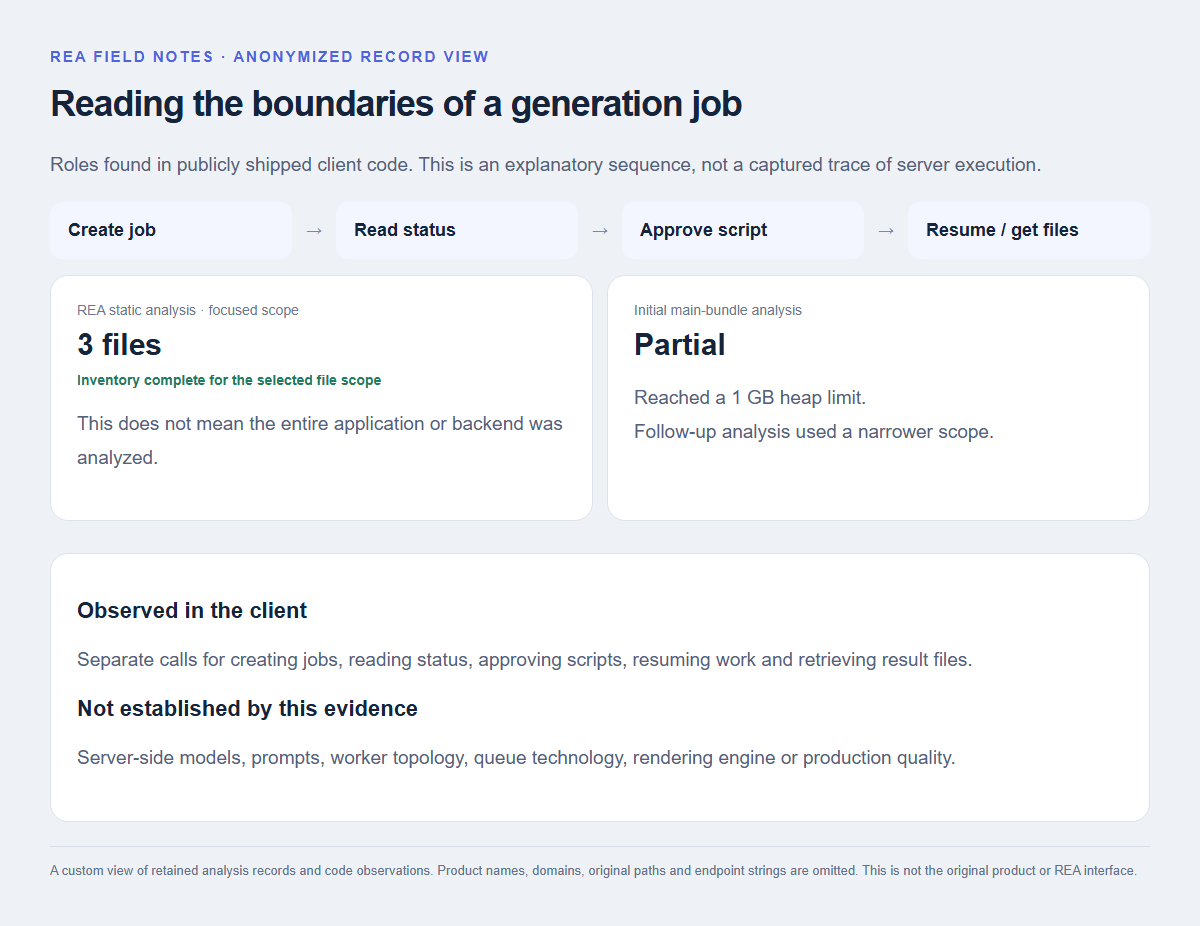
I started with a large JavaScript bundle. Parsing proceeded, but semantic analysis hit a 1 GB heap limit. Having some output did not mean that the entire analysis had completed.
I narrowed the question from “How is this whole service built?” to “Where are the calls that create a job, approve a script and resume processing?” The follow-up focused on three relevant files.
This was where REA helped: finding the boundaries around a feature reduced the amount of code I needed to examine next. The inventory was complete for that selected file scope; it was not a complete account of the site or its backend, and unresolved semantic relationships remained.
2. Generate was not represented by a single call
The public code contained separate calls for creating jobs, reading status, approving scripts, resuming work and retrieving result files. Upload handling also had distinct start, part-transfer, completion and abort operations.
Those are direct observations about the client. They do not establish which queue or database the server uses, how many workers it runs or which rendering engine produces the output. An endpoint name is a clue about an interface, not proof of an entire backend architecture.
There was still a useful design lesson. I could treat generation as a job with intermediate outputs and progress states, rather than one long request. Separate approval and resume calls were especially useful clues for designing a workflow with a human review step.
3. My implementation separates analysis, review and generation
In my own pipeline, the stages became source preparation, speech recognition, scene and script analysis, human review, then speech synthesis and video export. Speech recognition and media processing run on the PC. Scene selection and new narration are requested through an installed Codex runner connected to an online model.
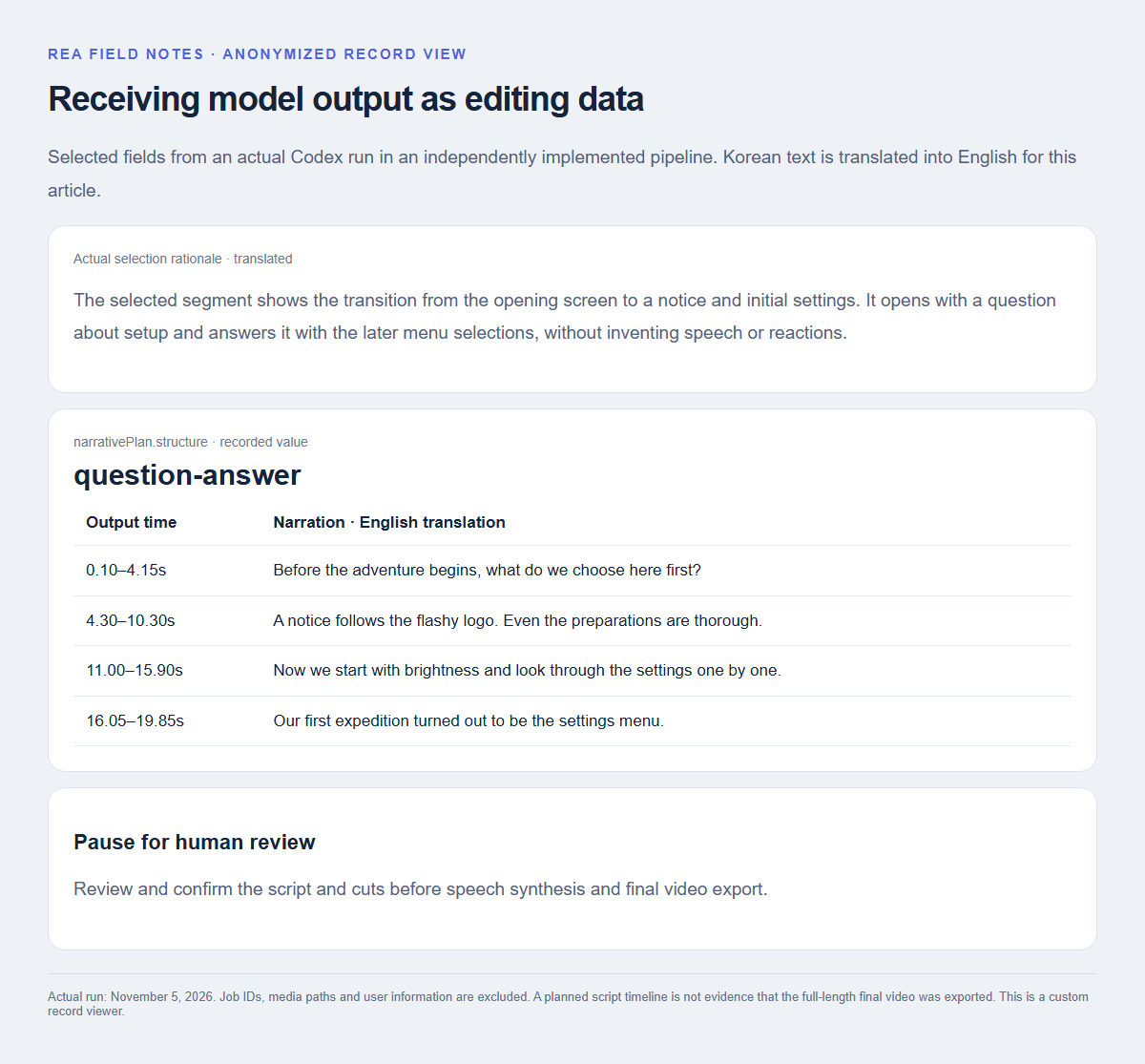
The key choice was to pause before synthesizing speech. I show the selection rationale and draft script first, then continue after the user edits and confirms them. That puts a review point before later processing. I did not run a controlled comparison of time or cost savings.
4. Model output becomes editing data
A free-form explanation still needs someone to transfer it into an editor. I requested structured fields instead: start and end times, narration text, a selection rationale and a narrative structure. In the actual run, the model returned a question-answer structure and a timed narration plan about a sequence of setup screens.
Receiving JSON does not make the edit correct. The processing layer still needs to check time ranges, durations and required values. A response can be structurally valid while making a poor or unsupported choice.
The model’s input also has limits. Sampled still images and a recognized transcript are not equivalent to watching the entire video continuously. I keep the rationale with the result and expose it in the review step so that the decision can be checked.
5. Record exactly what the test proved
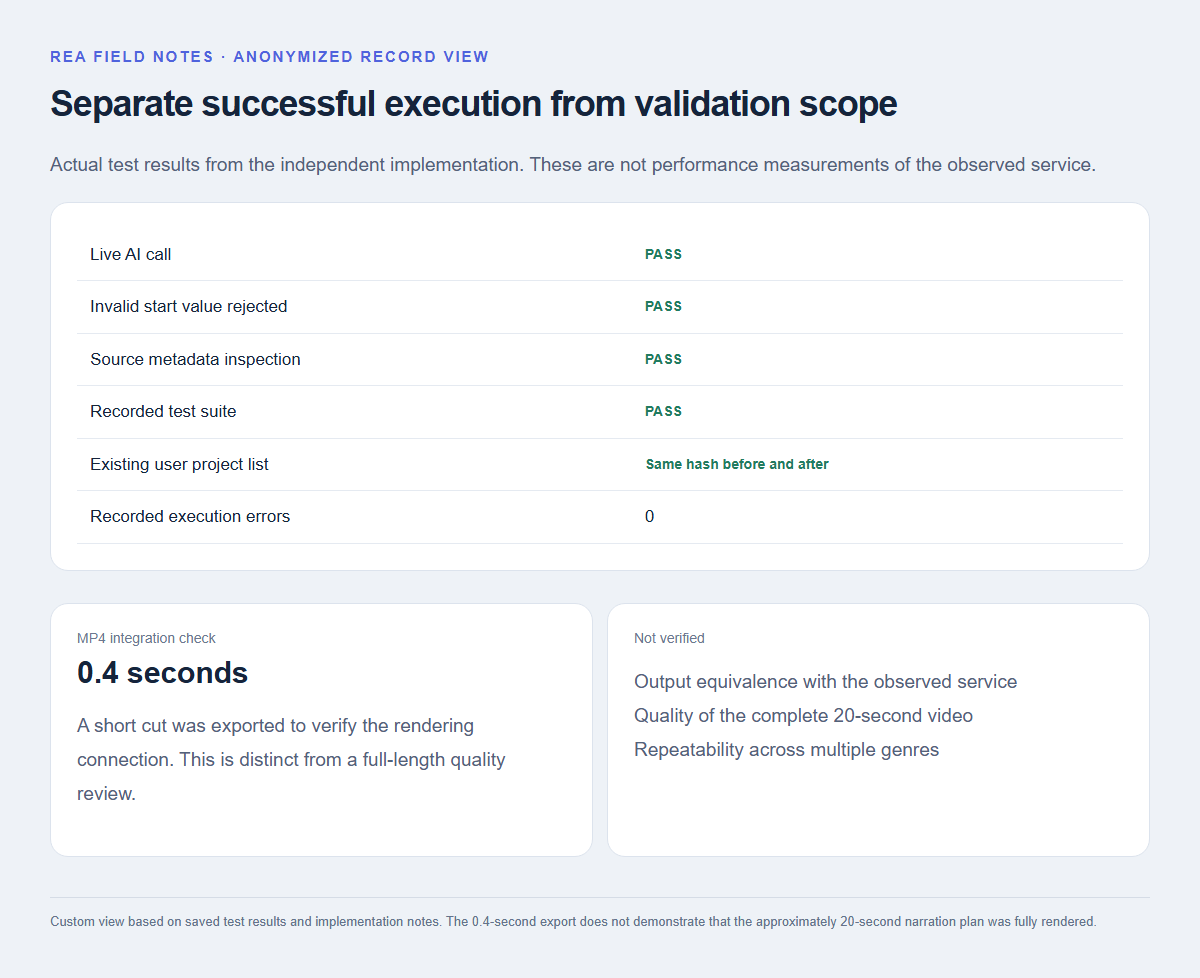
The independent implementation completed a live AI call and generated a script. The recorded checks also covered rejecting an invalid input, inspecting source metadata and preserving the existing user project list: its hash was unchanged before and after the test.
For the rendering connection, I exported an actual MP4 using a 0.4-second cut. That verified a short integration path. It did not validate the quality of a complete 20-second video.
Getting an approximately 20-second narration plan and reviewing a full-length final export are separate milestones. I also did not run the observed service’s paid generation, so this experiment cannot establish output equivalence, a quality advantage or a speed comparison.
The most useful outcome of using REA was learning to ask more precise questions about a workflow: where a job is created, which intermediate output is available, what the user approves and where processing resumes.
For someone adding AI to an application, model choice is only one part of the work. Deciding what to store, what to validate and when to ask a person to review the result matters just as much. REA helped me start those decisions from concrete clues in the shipped client, while keeping the unknown server-side details separate.