Code Lab
AG-UI Explained: How Agents Stream Messages into an App
CODE LAB · PROJECT SPOTLIGHT
AG-UI Python · MIT
Follow a reply from the agent to the screen.
Project preview · ag-ui-protocol/ag-ui
When an assistant starts answering, the interface has to decide where each fragment belongs. If a tool starts running halfway through the reply, the interface also needs to show progress without printing tool arguments as conversation text. AG-UI gives those updates distinct event types that an agent and an app can agree on.
On November 24, 2026, GitHub Trending showed 3,620 stars gained this week. GitHub Trending
Follow a reply from the agent to the screen
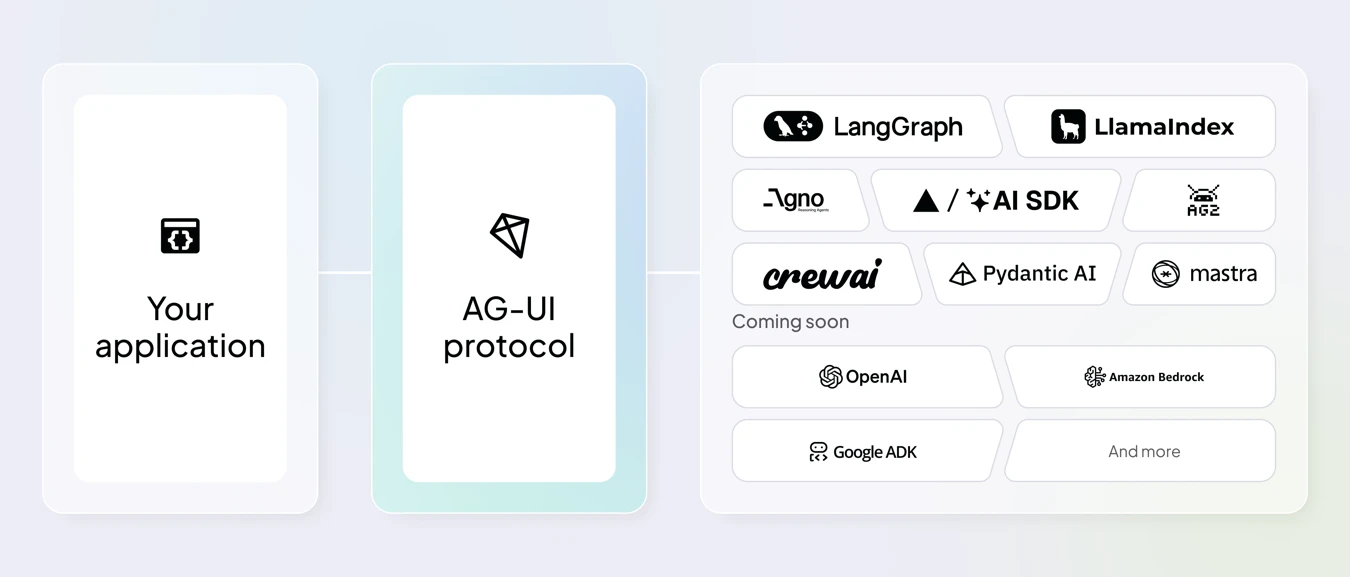

The official diagram places the application on one side of the protocol and agent integrations on the other. That boundary matters when a team wants to change the backend while keeping its existing chat interface.
Inside events.py
The Python compatibility module imports its event types from generated models. Notice the separate start, content and end events for a message, followed by another family for tool calls. These are names a client can dispatch on as a run unfolds. The schema drives the generated classes, so a protocol change begins in the schema before it reaches this import list.
Source credit · ag-ui-protocol/ag-ui contributors. MIT license and notices.
Test an interleaved tool call
Feed your renderer a recorded start event, two content events for the same message and an end event. You should see one assistant bubble with both fragments in order. Then interleave a tool call and check that its arguments appear in the tool panel. A UI that creates a bubble for every fragment can make a valid stream look broken.
Start with the repository’s Dojo examples to see an integration in context. Pin the client and agent adapter versions together when investigating a rendering discrepancy. A replay of the same event sequence gives you a way to distinguish a display regression from a change in the model’s answer.
Replay four events into one chat bubble
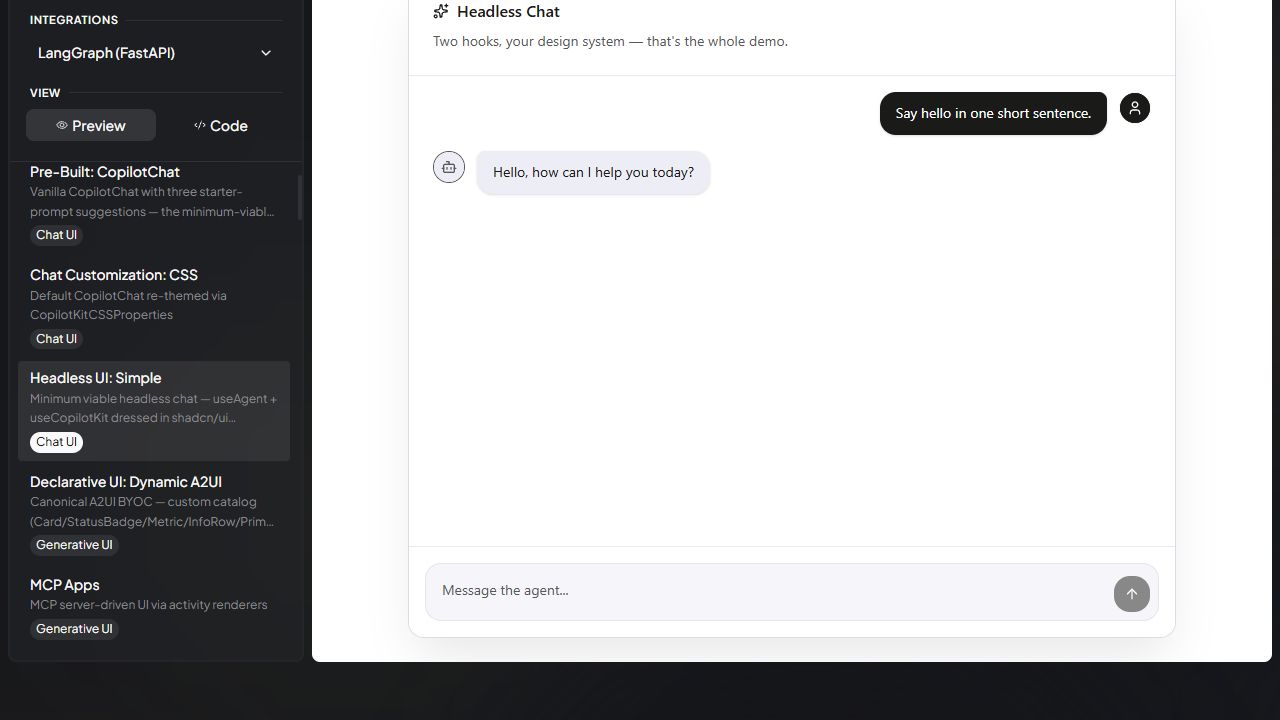
The reply on screen looks like a single string. A client may receive it in pieces. Here is a small JavaScript replay you can run in Node or a browser console. We chose the two fragments and message ID for the example. The screenshot records the visible exchange, while the fixture gives us precise control over event order.
JavaScript · worked example
const events = [
  {type: "TEXT_MESSAGE_START", messageId: "m1", role: "assistant"},
  {type: "TEXT_MESSAGE_CONTENT", messageId: "m1", delta: "Hello, "},
  {type: "TEXT_MESSAGE_CONTENT", messageId: "m1", delta: "reader!"},
  {type: "TEXT_MESSAGE_END", messageId: "m1"}
];
const messages = new Map();
for (const e of events) {
  if (e.type === "TEXT_MESSAGE_START") messages.set(e.messageId, "");
  if (e.type === "TEXT_MESSAGE_CONTENT" && messages.has(e.messageId)) {
    messages.set(e.messageId, messages.get(e.messageId) + e.delta);
  }
}
console.log(messages.size, messages.get("m1"));
Output from our run
1 Hello, reader!
The leading 1 is the number of entries in the map. The start event allocates one entry, each delta extends the string under that same ID, and the end event adds no text. A renderer can mark the bubble complete at that point. To see the failure mode, change the second fragment’s ID to m2 without sending a start for it. This example ignores the orphan fragment. A production client could also log the unexpected ID so a missing phrase can be traced back to the stream.
For an application-level comparison, see T3 Code’s agent interface.