Code Lab
AWS Emulator Explained: Test AI-Written AWS Code Without a Cloud Account
CODE LAB · PROJECT SPOTLIGHT
AWS Emulator Rust · CC0-1.0
Test AWS SDK calls against a local endpoint, inspect the source and check release fidelity before deploying.
Preview: GitHub / aws/aws-emulator · checked November 15, 2026
AWS Emulator gives AWS SDK and CLI calls a local endpoint to talk to. Its purpose is a faster feedback loop for application code: make a request, inspect the response or error, and fix the integration before deployment.
AWS announced the project on November 11, 2026. It is a command-line service with no graphical product interface. The official architecture and SDK documentation show where requests go and which settings connect a client to the emulator.
The official architecture: local testing, then deployment
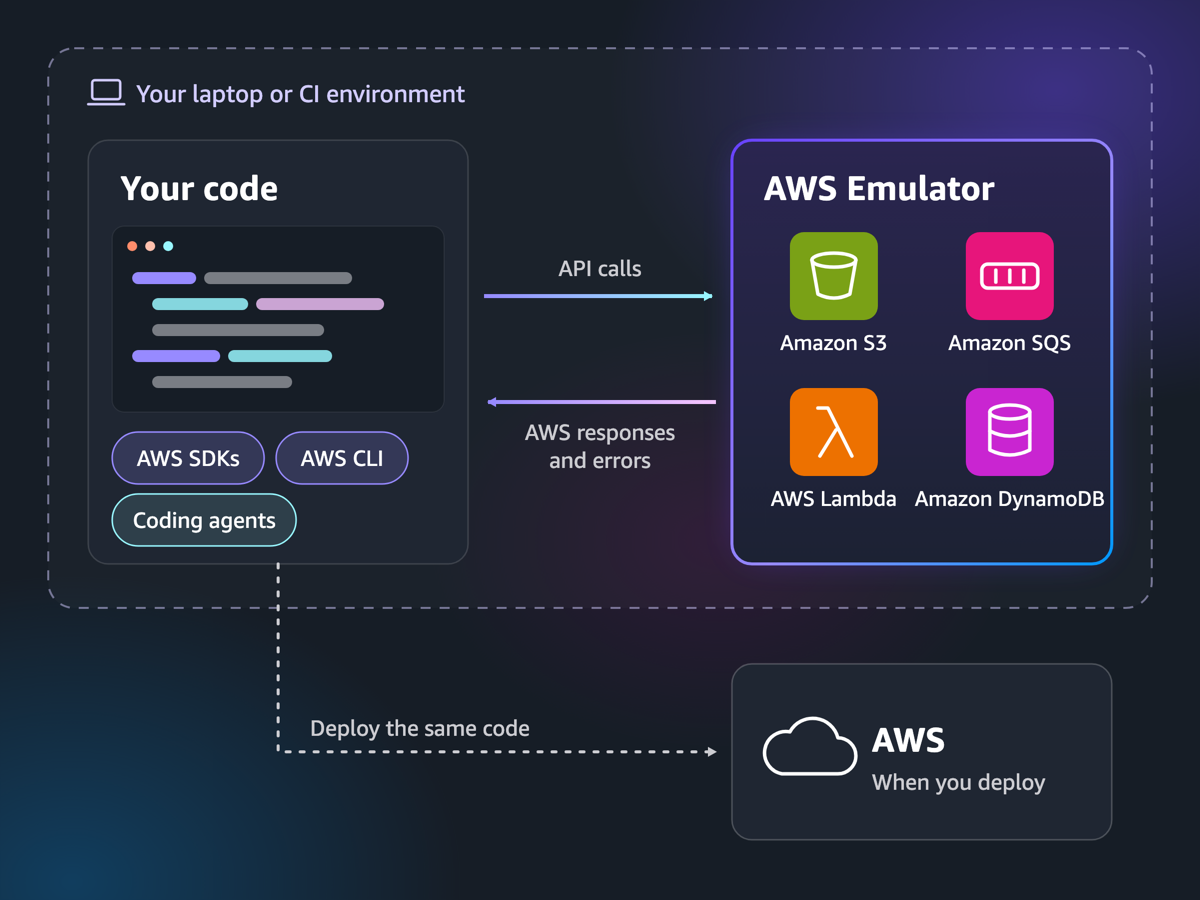
The dashed local boundary is the important part. Your code, SDK or coding agent sends API calls to an emulator on the laptop or CI host; the emulator returns responses and errors. Deploying the application to AWS is a separate step. Services pictured in the diagram illustrate the workflow, not a guarantee that every operation or permission decision behaves identically to production.
For an agent building a file-upload feature, the useful question is concrete: can it store a file, retrieve the same contents, and handle a missing file? Those results help correct application logic. A fluent explanation of the code would not answer them, and a successful request would still not prove that the production permissions are correct.
What AWS’s published setup actually configures
The official SDK guide connects three pieces: the local endpoint, emulator-issued credentials and the certificate that lets the client verify HTTPS. It also explains how to check which account the client reached. Read these together; changing the endpoint alone is not the complete setup.
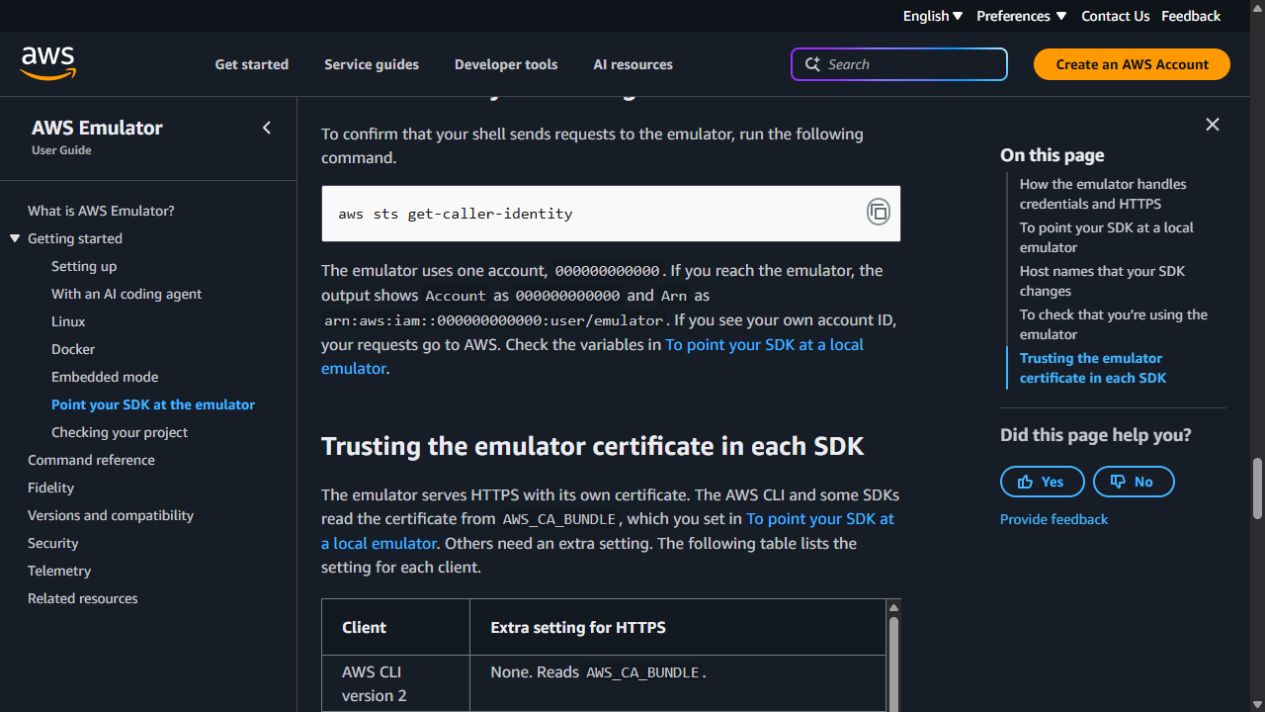
Use a dedicated test shell or script so that endpoint and credential settings apply to the intended run. The guide’s local identity check is useful because an SDK can otherwise discover credentials from elsewhere in its environment. Preserve certificate verification and follow the settings for your SDK rather than treating a TLS failure as a reason to switch checking off.
For Windows and macOS, follow AWS’s Docker route; AWS currently supplies instructions for building the image rather than a ready-made container image. Linux users can follow the package instructions. These links describe the supported setup paths; they are not claims that we ran every platform.
A simple visual model of the request loop
The official diagram establishes the architecture. This optional illustration focuses on the smaller loop inside it: send a request, emulate it locally, then inspect what came back. The cloud remains outside that local test.
Explore the local request loop · optional illustration
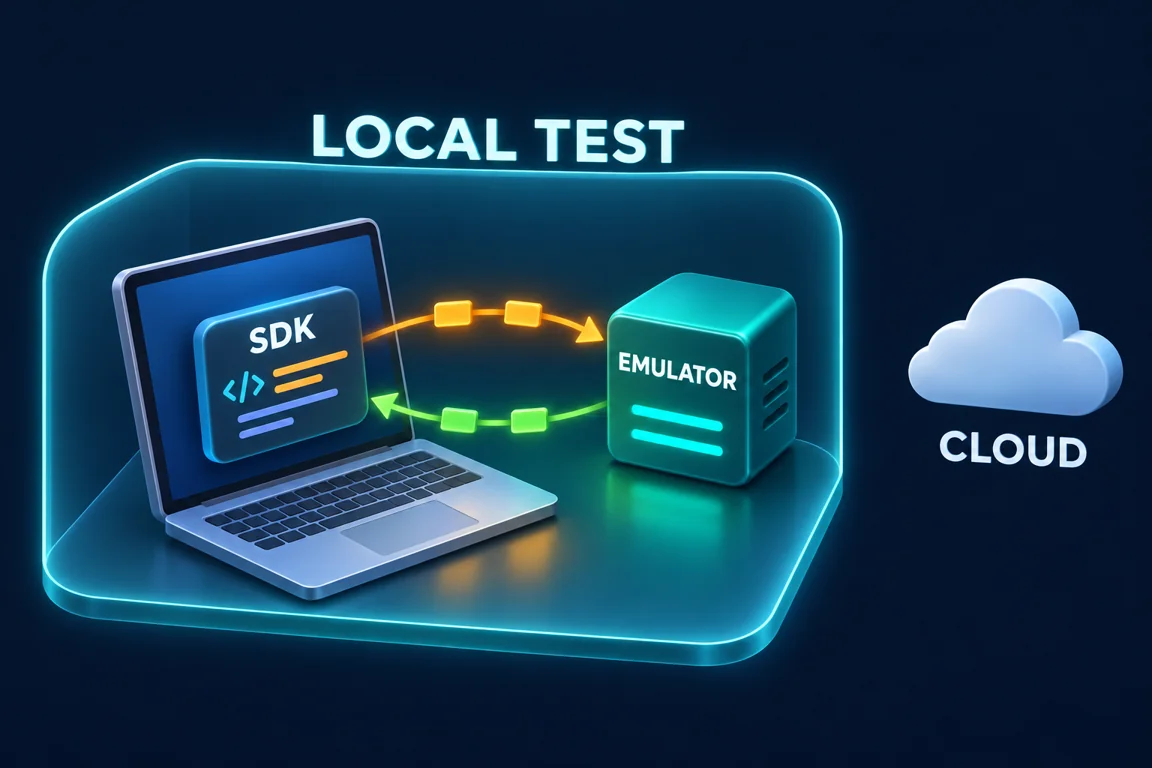
The moving marker illustrates the sequence; it does not show real requests or measured latency. Motion starts only when enabled, stops when disabled or collapsed, and respects reduced-motion preferences.
Our limited check: useful evidence for application logic
In our November 15 check of Emulator 1.0.385 with boto3 1.44.3, storing and retrieving one S3 object returned the same 40-byte body. Requesting a missing key returned HTTP 404 / NoSuchKey. That confirms one ordinary path and one error path, which is the part of the test that helps explain the development loop.
The run used Ubuntu 22.04 under an existing WSL1 environment, emulator-issued keys and verified HTTPS, with telemetry off. No real cloud resources were created. It was not a test of IAM enforcement, other AWS services, load or full production compatibility.
Actual Rust source: a fresh in-memory engine
The router module constructs an InMemoryEngine inside an Arc, Rust’s shared ownership container. This small source excerpt anchors the state-management discussion: a test process starts with a new local engine. It is not the S3 storage implementation and should not be mistaken for proof that every service behaves like AWS.
Original source at core/router/src/lib.rs, commit 813af48, under the CC0-1.0 dedication. Line numbers and syntax colors are presentation additions. Third-party code has its own notices.
Where local success stops being enough
Check the release-specific fidelity reports for the operations your application uses. AWS documents service-dependent coverage, in-memory resources, unimplemented operations that can return HTTP 501, and limitations around IAM and cross-account or cross-Region behavior. A service name or a diagram icon is not a complete compatibility claim.
The practical boundary is the decision you are making. A returned body can help validate serialization and error handling. It cannot establish that a real role has the right permissions, that a deployment is configured correctly or that a production workload meets its performance target. Keep those checks in a later environment that can answer them.
The emulator has no additional service fee; actual AWS deployment can incur normal charges. Local runs still consume memory and CPU. AWS also documents default telemetry and its opt-out in the telemetry guide. Pair this local feedback loop with a coding-agent interface such as T3 Code when the agent needs observable integration results rather than another speculative code review.
Official references: Repository · Product page and architecture · SDK setup guide · November 11 announcement · Release history.
Reviewed November 15, 2026. Discovery lead: Mindung EasyAI’s AWS Emulator short. Official AWS visuals, our small test observation and the AI-generated concept illustration are identified separately.
Discussion