Code Lab
OpenCode Explained: An Open-Source Coding Agent and Its Configuration
CODE LAB · PROJECT SPOTLIGHT
OpenCode TypeScript · MIT
Explore OpenCode’s terminal and desktop workflows, agent configuration and actual TypeScript source, with setup and permission considerations.
Preview: anomalyco/opencode on GitHub
OpenCode brings an AI coding workflow into an open-source application. You can inspect the implementation, select a supported model connection and work through a task in the terminal or desktop interface.
The project’s README documents installation methods, a desktop beta and built-in agents. Its workflow includes a build-oriented agent and a planning-oriented agent. Planning is useful when you want to inspect a repository and agree on an approach before starting edits. The exact available behavior depends on the release and configuration.
This source-and-documentation review was checked November 13, 2026. Project-supplied images and reported results are attributed below; no new hands-on benchmark is claimed.
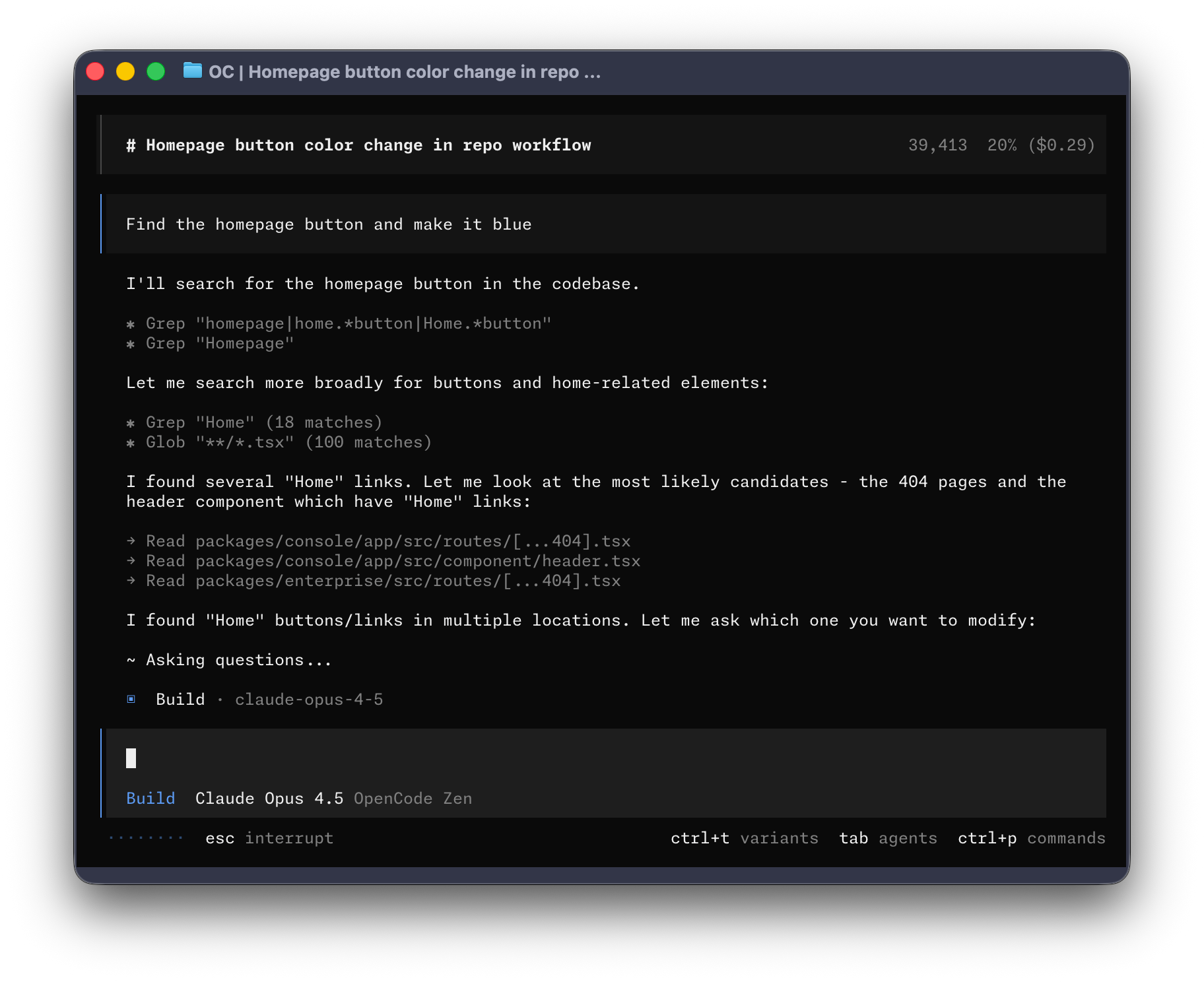
What does OpenCode do?
Consider a request to fix a settings page. Begin by asking the planning agent to identify the relevant component, data flow and likely change. Review that explanation, then move into implementation with explicit requirements. After edits, inspect the diff and run the checks appropriate to the feature. Keeping those stages visible helps you understand what the agent actually changed.
Inside the source: declaring an agent’s mode
The configuration schema includes an optional disabled flag, an optional description and an optional mode selected from subagent, primary or all. This excerpt shows how configuration represents an agent’s role. It does not implement the entire permission system; permission definitions and runtime enforcement live elsewhere in the repository.
Source: anomalyco/opencode at 688b60c. License: MIT. Original lines retained; syntax colors and line numbers added for this article.
Source credit and MIT license notice
MIT License

Copyright (c) 2025 opencode

Permission is hereby granted, free of charge, to any person obtaining a copy
of this software and associated documentation files (the "Software"), to deal
in the Software without restriction, including without limitation the rights
to use, copy, modify, merge, publish, distribute, sublicense, and/or sell
copies of the Software, and to permit persons to whom the Software is
furnished to do so, subject to the following conditions:

The above copyright notice and this permission notice shall be included in all
copies or substantial portions of the Software.

THE SOFTWARE IS PROVIDED "AS IS", WITHOUT WARRANTY OF ANY KIND, EXPRESS OR
IMPLIED, INCLUDING BUT NOT LIMITED TO THE WARRANTIES OF MERCHANTABILITY,
FITNESS FOR A PARTICULAR PURPOSE AND NONINFRINGEMENT. IN NO EVENT SHALL THE
AUTHORS OR COPYRIGHT HOLDERS BE LIABLE FOR ANY CLAIM, DAMAGES OR OTHER
LIABILITY, WHETHER IN AN ACTION OF CONTRACT, TORT OR OTHERWISE, ARISING FROM,
OUT OF OR IN CONNECTION WITH THE SOFTWARE OR THE USE OR OTHER DEALINGS IN THE
SOFTWARE.
Getting started with a bounded task
Use the current official installation documentation for your platform. The reviewed README includes package-manager options and desktop downloads. Confirm the package and release name before following an older tutorial, then configure a supported provider. Check model billing and tool permissions separately from the application’s open-source license.
Limits and what to verify
A coding agent needs useful repository context and reviewable acceptance criteria. Changing the application does not remove model errors, provider limits or the need to protect credentials. A planning mode is valuable only when its actual tool permissions match your intended level of access; inspect the current configuration instead of relying on a label alone.
Where it fits in your workflow
OpenCode is worth exploring when you want both an everyday coding interface and implementation details you can read. Compare its workflow with T3 Code, paying attention to provider configuration, session handling and review tools rather than assuming all coding interfaces behave alike.
Related Code Lab: T3 Code and AI coding-agent interfaces. For the source-review format used here, see our Lichii repository walkthrough.
Official references: Repository · README at reviewed revision · Release history · Source excerpt.