Code Lab
Orca Explained: Parallel Coding Agents in Separate Worktrees
CODE LAB · PROJECT SPOTLIGHT
Orca TypeScript · MIT
Explore Orca’s parallel coding workspaces, worktree model and actual TypeScript source, with practical coordination and cost considerations.
Preview: stablyai/orca on GitHub
Running several coding agents is easier when each has a clear workspace and you can inspect their progress in one place. Orca is an open-source desktop environment for managing agent sessions, terminal work and repository changes.
The project describes chat and terminal views, parallel worktrees, review tools and orchestration features. It supports using existing coding agents rather than requiring one model provider. The README also documents remote and mobile-related capabilities. Check the current release and platform requirements before assuming every feature is available in your setup.
This source-and-documentation review was checked November 13, 2026. Project-supplied images and reported results are attributed below; no new hands-on benchmark is claimed.
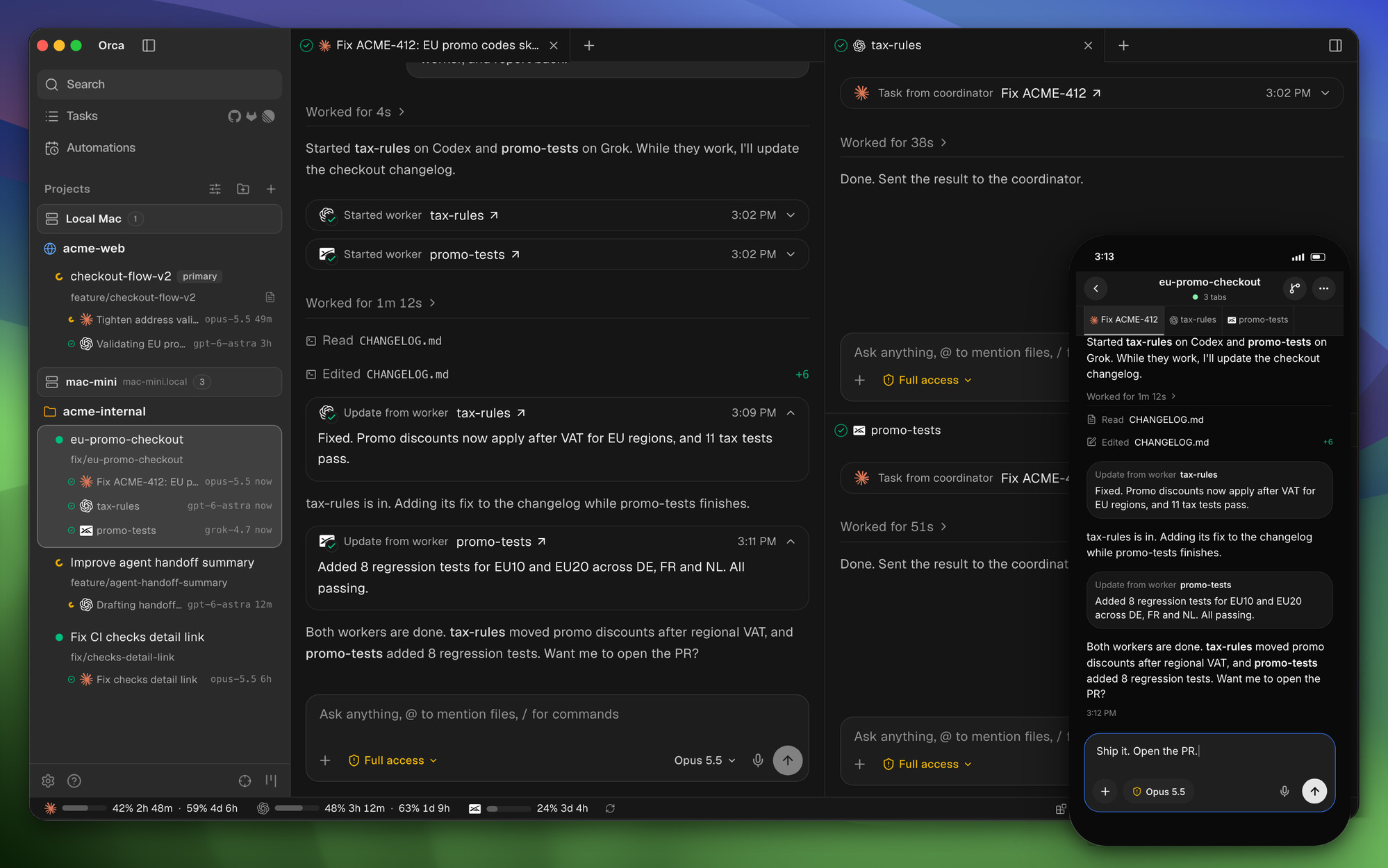
What does Orca do?
For a comparison task, create isolated workspaces for two approaches to the same feature. Give each agent the same acceptance criteria and ask it to explain its changes. Inspect both diffs and checks before selecting an approach. Worktree separation keeps files from being edited in the same working directory, but the final integration still needs deliberate review.
Inside the source: query worktree status
The worktree ps handler calls the runtime with a limit and can request agent-wait information for a JSON invocation. This is a concrete example of the CLI querying workspace state through the runtime interface. It does not show agents performing a task or establish that their changes can be merged without conflict.
Source: stablyai/orca at 28e0a02. License: MIT. Original lines retained; syntax colors and line numbers added for this article.
Source credit and MIT license notice
MIT License

Copyright (c) 2026 Lovecast Inc.

Permission is hereby granted, free of charge, to any person obtaining a copy
of this software and associated documentation files (the "Software"), to deal
in the Software without restriction, including without limitation the rights
to use, copy, modify, merge, publish, distribute, sublicense, and/or sell
copies of the Software, and to permit persons to whom the Software is
furnished to do so, subject to the following conditions:

The above copyright notice and this permission notice shall be included in all
copies or substantial portions of the Software.

THE SOFTWARE IS PROVIDED "AS IS", WITHOUT WARRANTY OF ANY KIND, EXPRESS OR
IMPLIED, INCLUDING BUT NOT LIMITED TO THE WARRANTIES OF MERCHANTABILITY,
FITNESS FOR A PARTICULAR PURPOSE AND NONINFRINGEMENT. IN NO EVENT SHALL THE
AUTHORS OR COPYRIGHT HOLDERS BE LIABLE FOR ANY CLAIM, DAMAGES OR OTHER
LIABILITY, WHETHER IN AN ACTION OF CONTRACT, TORT OR OTHERWISE, ARISING FROM,
OUT OF OR IN CONNECTION WITH THE SOFTWARE OR THE USE OR OTHER DEALINGS IN THE
SOFTWARE.
Getting started with a bounded task
Download a release for your platform from the official project and connect an agent you already understand. Verify where worktrees are created and how branches are named. Start with a small repository and review the cleanup path before creating many workspaces. Confirm provider account limits and billing separately from Orca’s MIT license.
Limits and what to verify
Parallel sessions can multiply model usage and produce overlapping changes. Distinct worktrees do not prevent conflicting design decisions or inconsistent database migrations. Give each task clear ownership and reserve time for integration. Remote access adds its own connection and authorization considerations; verify the relevant documentation before moving a private repository to another machine.
Where it fits in your workflow
Orca is worth assessing as a workspace and review environment. The question is whether it makes several agent tasks easier to supervise and reconcile. Our T3 Code introduction offers another point of comparison for session management and coding-agent interfaces.
Related Code Lab: T3 Code and AI coding-agent interfaces. For the source-review format used here, see our Lichii repository walkthrough.
Official references: Repository · README at reviewed revision · Release history · Source excerpt.