Code Lab
video-use Explained: How Coding Agents Edit Footage from Transcripts and Timelines
CODE LAB · PROJECT SPOTLIGHT
video-use Python · MIT
Follow a transcript-driven editing pipeline from word timings to a rendered video.
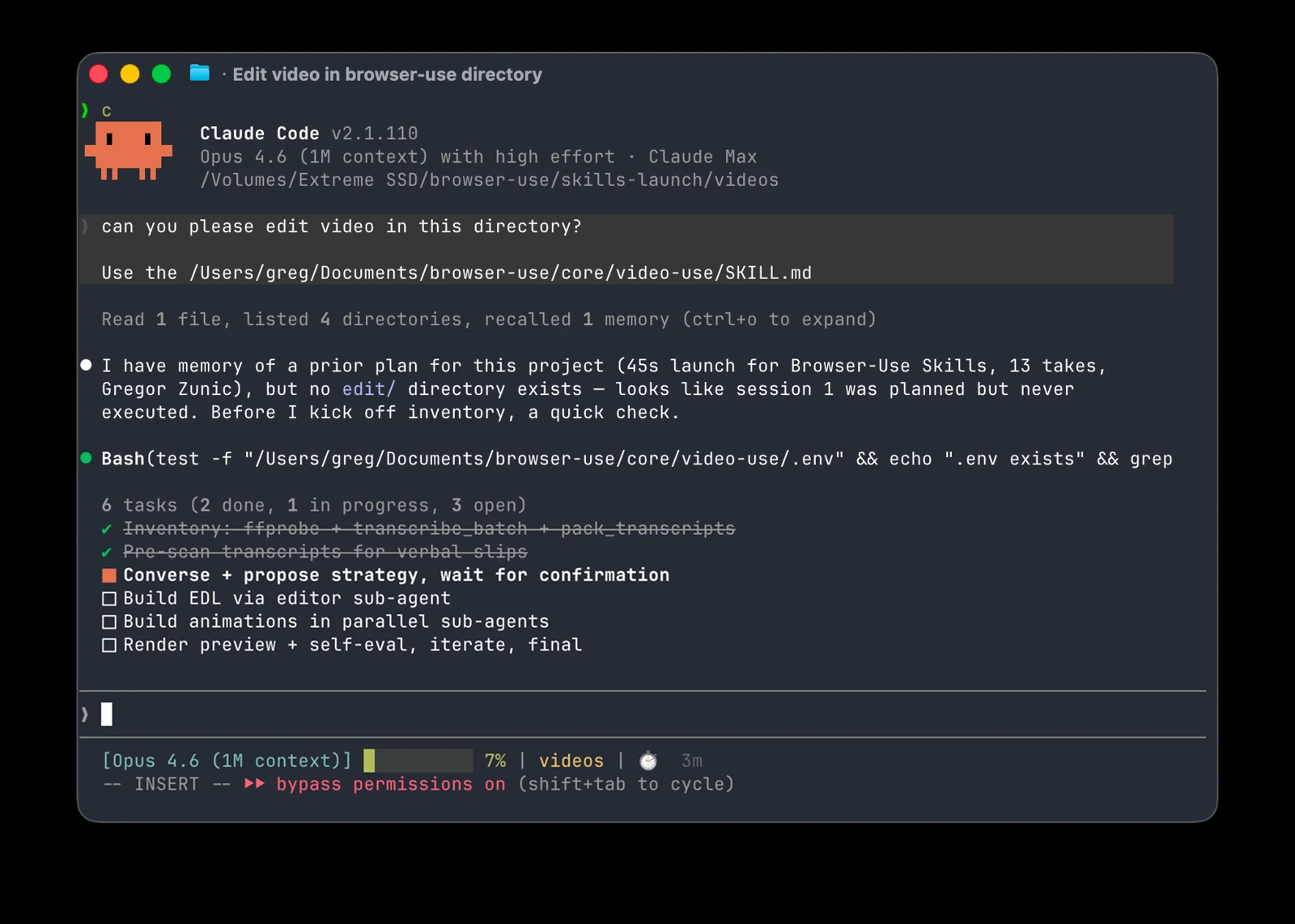
Repository preview/artwork: browser-use/video-use · creator-supplied image.
video-use lets a coding agent edit existing footage through transcripts, selected visual summaries and rendering scripts. You provide raw takes and a brief; the documented workflow proposes an editing strategy before producing a finished file.
The interesting part is how the footage becomes manageable input. Instead of treating every frame as a separate prompt, the project packs word-level transcription into a compact text view and generates visual timeline composites when they are useful for a decision.
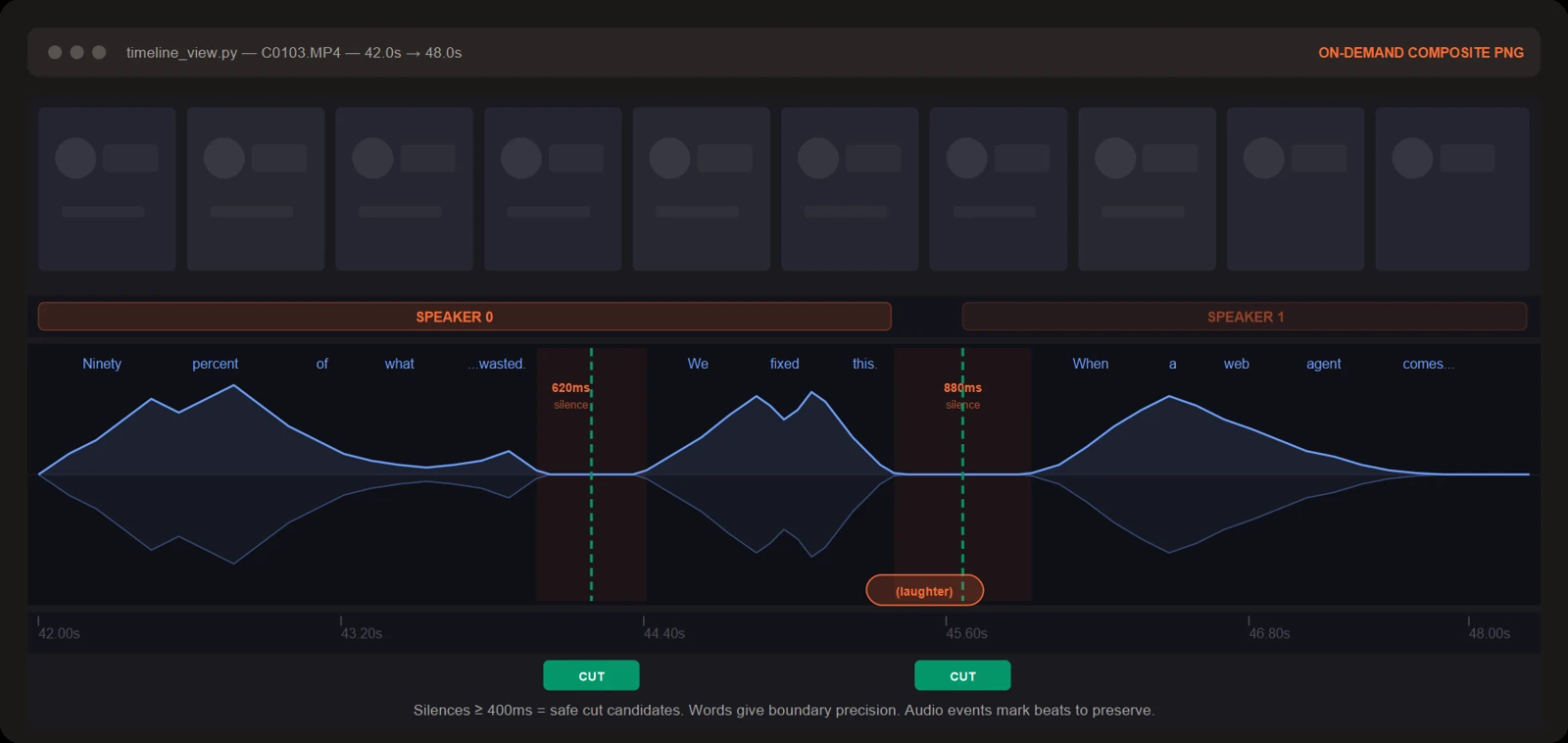
What goes into the workflow—and what comes out
| Stage | Working artifact | What to check |
|---|---|---|
| Transcribe | Word timings, speaker IDs and audio events | Names, technical terms and speech boundaries can be wrong. |
| Pack | A readable transcript with phrase ranges | Grouping helps navigation; it is not the final cut list. |
| Plan | An editing strategy and edit decisions | Confirm the story, retained takes and intended length. |
| Render | Video generated by the editing helpers | Check frame shape, captions, cut timing and sound. |
| Review | Timeline composites around rendered cuts | Inspect the actual result; an automatic pass is not a quality guarantee. |
The repository describes removing filler words and gaps, adding subtitles, color grading and optional animation overlays. Those are capabilities of the documented workflow. They are not measurements of how accurately it handles every accent, source format or style of video.
A first setup has four dependencies
The inspected package declares Python 3.10 or newer. Its install guide requires FFmpeg and ffprobe, a supported coding agent with access to the project’s skill and helpers, and an ElevenLabs API key for Scribe transcription. Optional animation engines are another dependency when a project calls for them.
The documented manual Python setup begins with:
git clone https://github.com/browser-use/video-use
cd video-use
pip install -e .
This installs the Python package’s dependencies; it does not install FFmpeg, create a provider account or register every agent integration. The upstream examples for system packages and symlinks use particular operating systems. Follow the pinned installation guide ↗ for the complete route and adapt paths to your environment rather than pasting a macOS command into Windows unchanged.
Keep the skill file and helper directory together when registering the project with your agent. The agent needs both the workflow instructions and executable helpers. An entry in a skills menu alone does not verify that transcription or rendering works.
Use an editing brief that can be checked
A practical brief names the purpose, audience, target length and material that must remain. For a product explanation, specify which claim needs an on-screen demonstration and which wording should not be cut. Ask to inspect the proposed strategy before running an expensive render.
Once a first edit exists, compare it with the brief. Listen for clipped words and abrupt changes in room sound. Read captions at normal playback size. Check that removing a pause did not reverse emphasis or join sentences into a misleading statement. These are reader evaluation steps, not results of a test completed here.
Inside the source: why the transcript breaks into phrases
The packing helper groups timestamped words into readable phrases. This excerpt shows two reasons to end the current group:
A change in speaker flushes the current phrase. A gap from the previous retained token that meets or exceeds silence_threshold does the same. The remaining lines initialize the next phrase, append the token and remember its end time.
The function’s documented default threshold is 0.5 seconds. That threshold determines transcript grouping; it does not instruct FFmpeg to remove every half-second pause. The agent still has to choose an edit and render it. Treating every phrase boundary as a mandatory cut would confuse a navigation aid with an editorial decision.
The helper also has a branch for explicit spacing entries and a final flush. The displayed lines are an excerpt of that larger function, not the complete transcription or editing pipeline.
Actual source: browser-use/video-use at the linked commit. MIT License; original line numbers and syntax coloring added.
Source credit and MIT license notice
MIT License

Copyright (c) 2026 Browser Use

Permission is hereby granted, free of charge, to any person obtaining a copy
of this software and associated documentation files (the "Software"), to deal
in the Software without restriction, including without limitation the rights
to use, copy, modify, merge, publish, distribute, sublicense, and/or sell
copies of the Software, and to permit persons to whom the Software is
furnished to do so, subject to the following conditions:

The above copyright notice and this permission notice shall be included in all
copies or substantial portions of the Software.

THE SOFTWARE IS PROVIDED "AS IS", WITHOUT WARRANTY OF ANY KIND, EXPRESS OR
IMPLIED, INCLUDING BUT NOT LIMITED TO THE WARRANTIES OF MERCHANTABILITY,
FITNESS FOR A PARTICULAR PURPOSE AND NONINFRINGEMENT. IN NO EVENT SHALL THE
AUTHORS OR COPYRIGHT HOLDERS BE LIABLE FOR ANY CLAIM, DAMAGES OR OTHER
LIABILITY, WHETHER IN AN ACTION OF CONTRACT, TORT OR OTHERWISE, ARISING FROM,
OUT OF OR IN CONNECTION WITH THE SOFTWARE OR THE USE OR OTHER DEALINGS IN THE
SOFTWARE.
Costs, uploads and availability
The code is MIT-licensed, but a complete run can still use paid agent inference and ElevenLabs transcription. In the documented transcription route, source audio is sent to the configured service. Use footage you are permitted to process and check its account costs before starting a large batch.
The README describes cloud-hosted video-use as coming and links a waitlist. That should not be confused with the currently published local repository. At this check the latest-release endpoint did not expose a published release, so the source panel identifies an exact commit instead of inventing a stable release number.
The project’s render-and-review loop can help catch certain cut-boundary problems, but a successful run is not proof that the story, subtitles or sound are ready to publish. Preserve the original footage so you can compare and revise an edit.
What we verified
We inspected the repository, installation requirements, helper source and creator-supplied analysis image. We did not upload footage, call the transcription API or render an edited video for this article. The official timeline image explains the architecture without pretending to be our own result.
Explore the source repository ↗ and release availability ↗. The creator’s original video is linked externally from the README; playback is not hosted in this article.
Reviewed November 17, 2026. Discovery lead: Mindung’s Short ↗. We read the video description and independently inspected the linked repository; we did not watch or obtain a nonempty transcript of the Short. Source/documentation walkthrough only; no end-to-end editing test is claimed. Creator images remain their published examples; no hosted or embedded video playback is included.