Code Lab
Plannotator Explained: Review AI Plans and Code Before Sending Feedback
CODE LAB · PROJECT SPOTLIGHT
Plannotator TypeScript · Apache 2.0 / MIT
Inspect the plan, annotate the diff and return specific feedback to your coding agent.
Repository preview/artwork: backnotprop/plannotator · creator-supplied image.
Plannotator gives you a review surface between an AI coding agent’s proposal and your next instruction. You can mark up a plan, comment on a code diff and return feedback with the location and context attached.
That matters when “looks good” is too vague. A useful review says what should change, where it belongs and which version you inspected. Plannotator organizes that conversation; it does not prove that every bug has been found or that an approved plan will execute correctly.
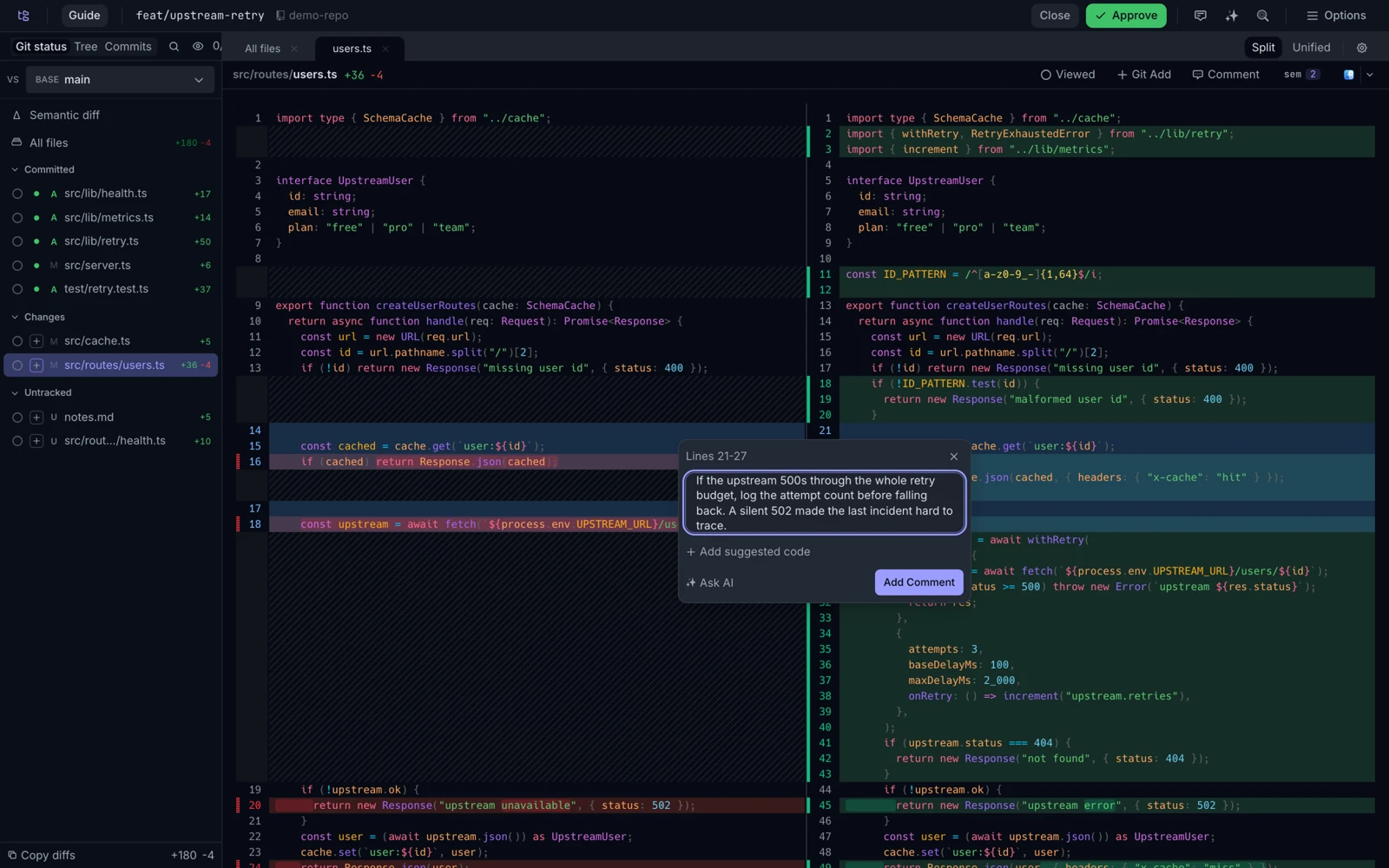
Choose the review surface that matches the question
| You need to review… | Use the corresponding surface | What a useful comment contains |
|---|---|---|
| An approach before implementation | Plan or document annotation | The missing requirement, constraint or rejected alternative. |
| Changes already made | Code review with a diff | The relevant file, lines, observed problem and expected behavior. |
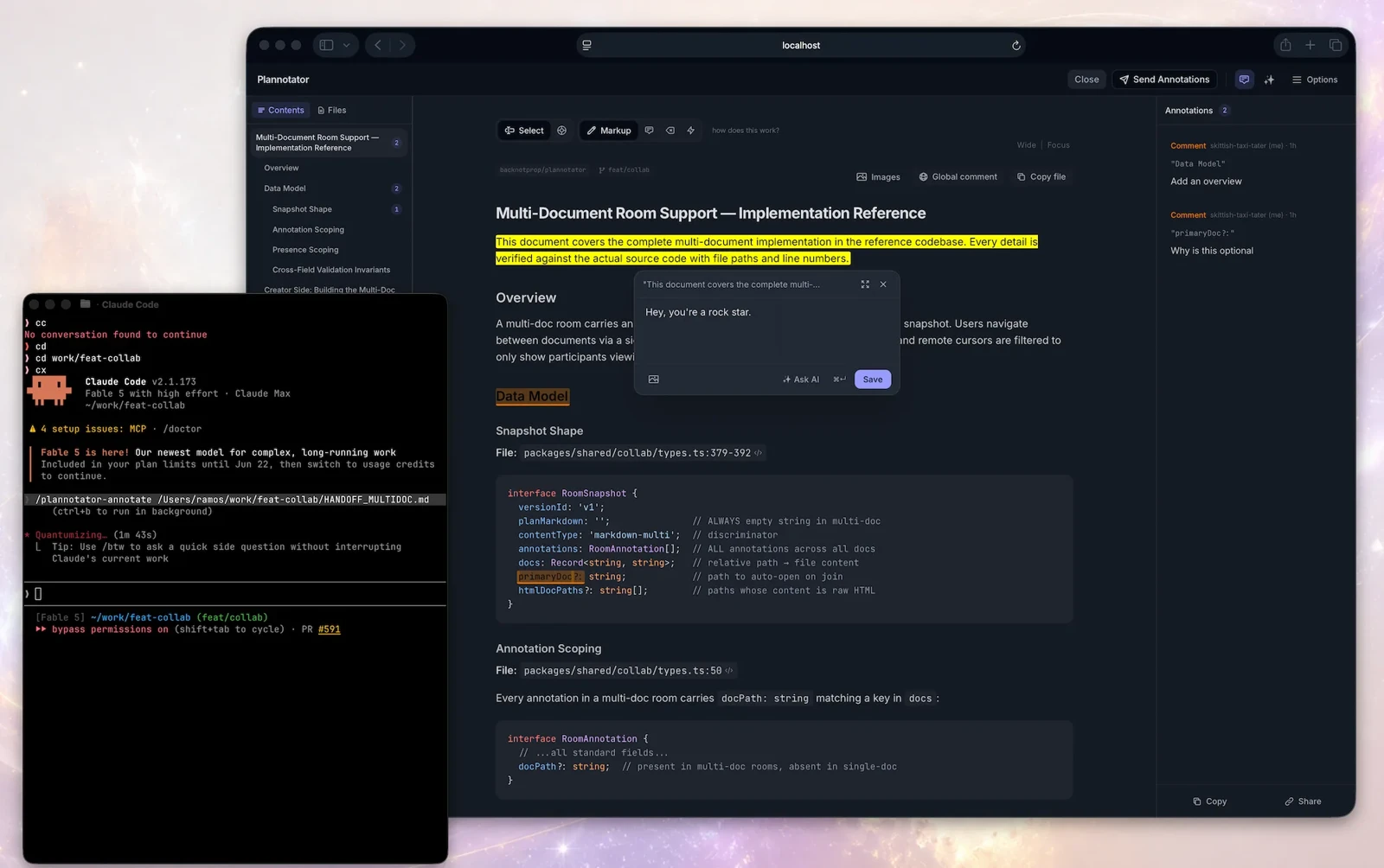
| A generated document or page | Markdown or HTML annotation | The selected text or visible element and the requested revision. |
These stages solve different problems. A plan can omit a requirement before any code exists. A diff can contain a regression even when the plan was sound. Keep the review focused on the stage you actually opened instead of treating a plan approval as a final code audit.
A practical first workflow
- Open a small, bounded change. Start with one feature or fix rather than a whole repository.
- Confirm the diff context. Know whether you are looking at uncommitted work, a branch comparison or a particular commit.
- Annotate the exact issue. Explain the consequence and the desired behavior. A reproducible example is more useful than “improve this.”
- Send the feedback, then inspect the revision. Confirm the agent addressed the comment and did not introduce another problem.
For example, a reviewer could ask an agent to preserve a blank optional field instead of converting it into a zero. That is an illustrative review instruction, not an issue we discovered in Plannotator. The important part is connecting the comment to the actual changed lines and checking the resulting behavior.
Installation: a review tool can also configure integrations
The upstream installer supplies the executable and can detect and configure several installed agents. The README also documents a minimal mode that installs only the binary, skipping agent hooks, skills and slash commands. Choose that scope deliberately, especially on a machine with existing agent settings.
The repository’s standalone commands include:
plannotator review
plannotator annotate path/to/plan.md
plannotator last
These are separate example commands. The first opens a review of current changes, the second opens a document for annotation and the third targets the agent’s last message where the integration supports it. Follow the pinned installation and agent matrix ↗ for the chosen agent rather than assuming that one integration’s setup applies to all of them.
Native Windows and Codex need a specific check
Plannotator’s Codex guide describes a post-render plan-review flow using experimental Stop hooks. It distinguishes macOS/Linux/WSL from native Windows, where the installer prints manual setup steps instead of automatically enabling those hooks. This is the project’s documented integration boundary; we did not verify it against a running Codex session in this article.
That distinction does not mean that every review feature depends on the same hook. Standalone diff review and document annotation are useful concepts on their own. Begin with the narrow workflow you need, and check the Codex-specific guide ↗ before changing an existing configuration.
Inside the source: keeping feedback attached to the right commit
The exporter includes a small but consequential safeguard. A comment made on one commit should not silently appear to refer to another version’s lines:
If an annotation carries a commit SHA different from the current review context, the function adds a note identifying the commit where the comment was made. If a working-tree comment is exported while viewing a commit, it adds the opposite clarification. Otherwise, it returns an empty string.
This does not relocate an outdated comment or validate the reviewer’s reasoning. It makes a mismatch visible in exported feedback, helping the receiving agent avoid interpreting old line numbers as current ones. That is why confirming the review context is a practical step rather than just interface housekeeping.
Actual source: backnotprop/plannotator at the pinned commit. The project offers Apache 2.0 or MIT; this excerpt is presented under its MIT option. Original line numbers and syntax coloring were added.
Source credit and MIT license notice
MIT License

Copyright (c) 2025 backnotprop

Permission is hereby granted, free of charge, to any person obtaining a copy
of this software and associated documentation files (the "Software"), to deal
in the Software without restriction, including without limitation the rights
to use, copy, modify, merge, publish, distribute, sublicense, and/or sell
copies of the Software, and to permit persons to whom the Software is
furnished to do so, subject to the following conditions:

The above copyright notice and this permission notice shall be included in all
copies or substantial portions of the Software.

THE SOFTWARE IS PROVIDED "AS IS", WITHOUT WARRANTY OF ANY KIND, EXPRESS OR
IMPLIED, INCLUDING BUT NOT LIMITED TO THE WARRANTIES OF MERCHANTABILITY,
FITNESS FOR A PARTICULAR PURPOSE AND NONINFRINGEMENT. IN NO EVENT SHALL THE
AUTHORS OR COPYRIGHT HOLDERS BE LIABLE FOR ANY CLAIM, DAMAGES OR OTHER
LIABILITY, WHETHER IN AN ACTION OF CONTRACT, TORT OR OTHERWISE, ARISING FROM,
OUT OF OR IN CONNECTION WITH THE SOFTWARE OR THE USE OR OTHER DEALINGS IN THE
SOFTWARE.
Availability, costs and limits
The inspected repository is public and offers both license options. Its Releases page contained version v0.28.67 at this check. That is a dated snapshot, not a claim that this introduction covers every change in that release or that later versions behave identically.
The local review surface and your coding agent are separate dependencies. Agent subscriptions, model usage and optional integrations can have their own access requirements. A local browser interface also does not mean every installation or sharing operation stays offline; the README describes network boundaries and optional components.
We inspected the source, documentation and published screens. We did not install Plannotator, alter agent hooks or complete a live feedback round trip. For a first real evaluation, keep the change small and verify both the exported feedback and the agent’s next revision.
Start with the repository ↗ and official releases ↗. For a quick visual introduction, use the creator’s externally linked demos on its code-review page ↗.
Reviewed November 17, 2026. Discovery lead: Mindung’s Short ↗. We read the video description and independently inspected the linked repository; we did not watch or obtain a nonempty transcript of the Short. Documentation/source inspection only; no hands-on integration test is claimed. Creator images remain their published examples; no hosted or embedded video playback is included.
Discussion